myVaillant App

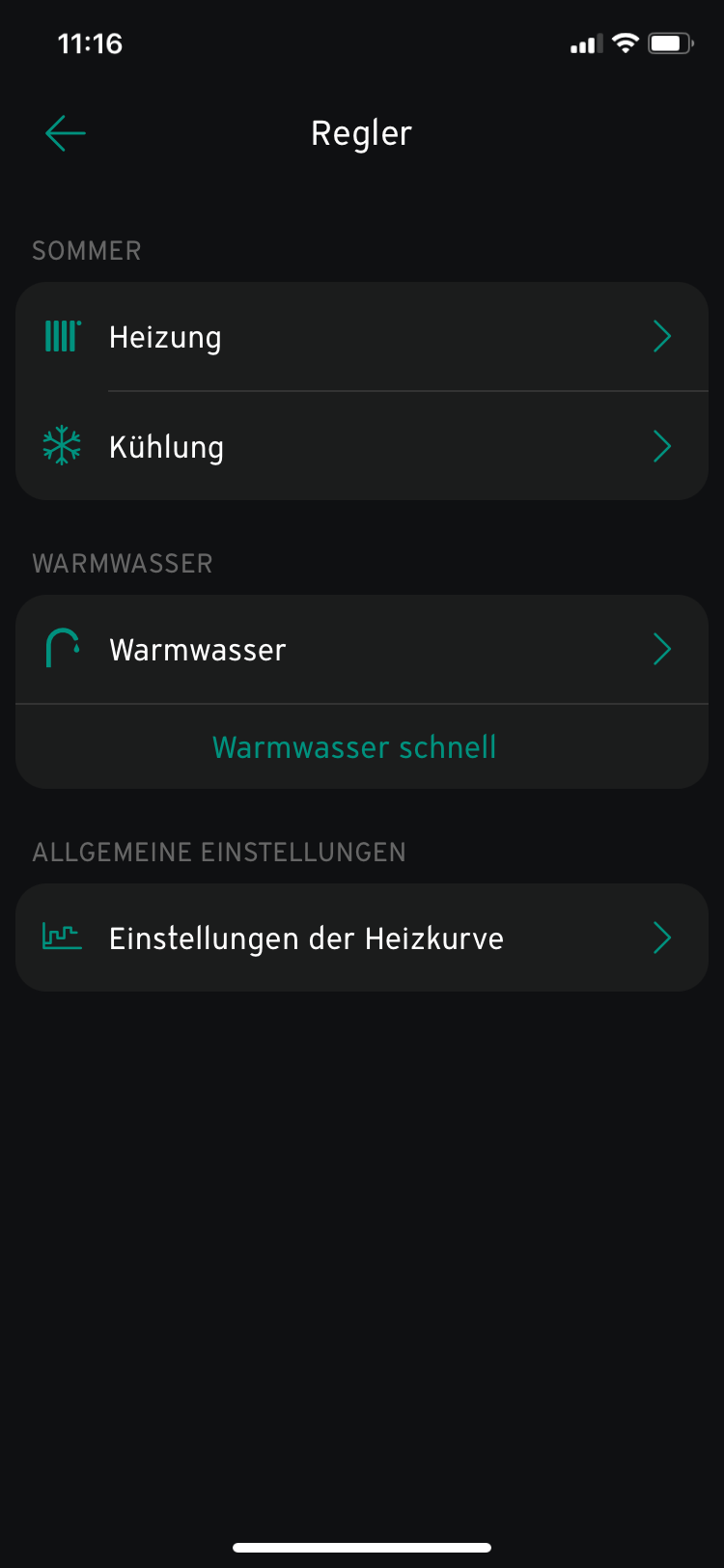
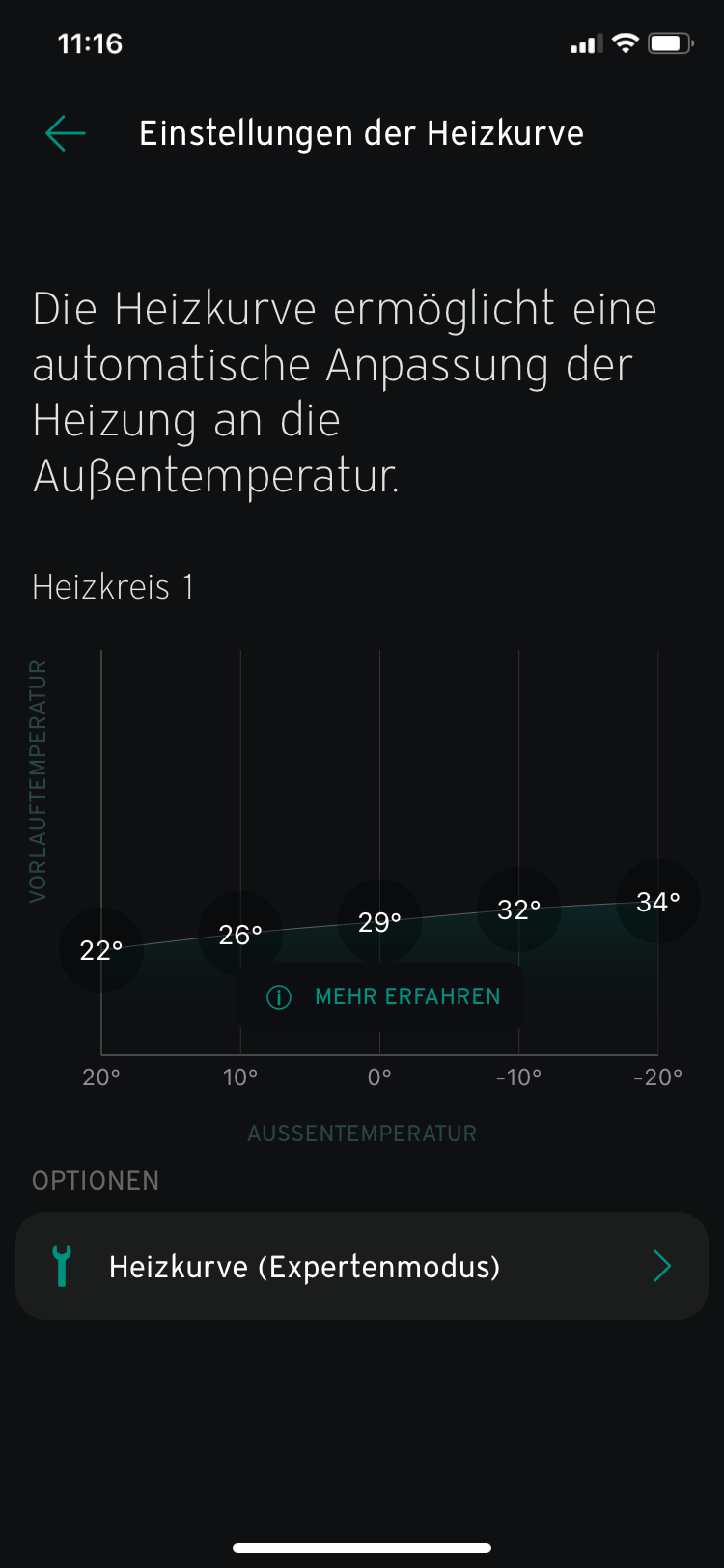
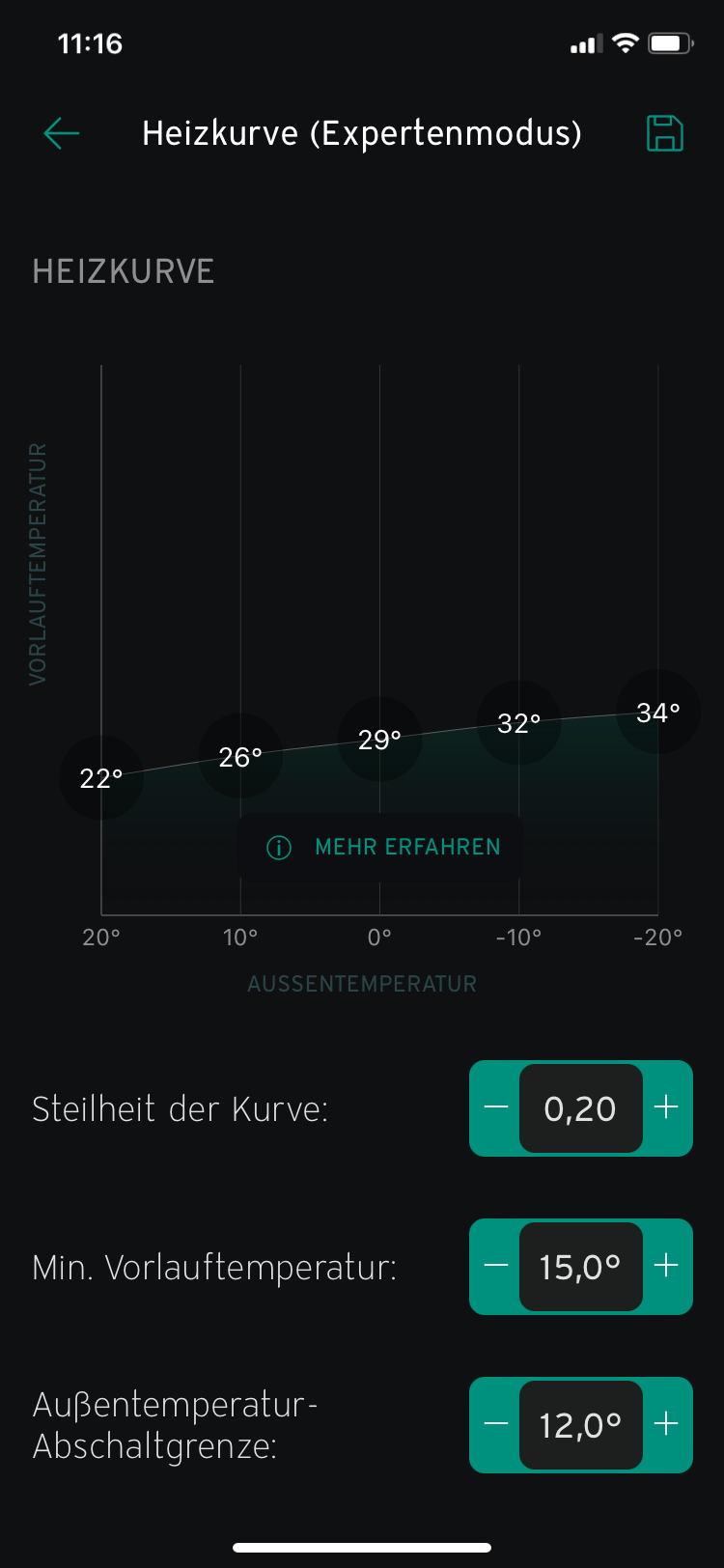
Da ist eine neue Version der myVaillant App gekommen. Jetzt hat sie eine grafisch gut gemachte Konfigurationsmöglichkeit für die Heizkurve bekommen:

In die Heizungs-Einstellungen:

Und dann in die Heizkurve:

Das kann man auch alles im Bedien-Panel direkt machen, ist in der App aber hübscher. Wenn man aber nicht weiß, was das Ding bewirkt, hilft der Dialog aber auch nicht. Die Bedienung ist gut, aber erklärt wird da nichts.

EVE Energy Outdoor

Für die Gartenbeleuchtung brauche ich eine draußentaugliche und Home Assistant kompatible Steckdose.

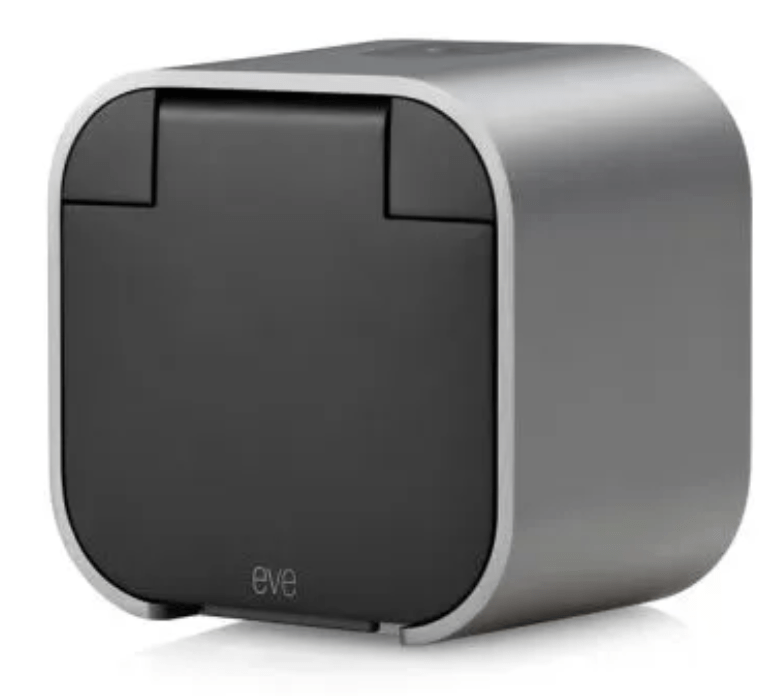
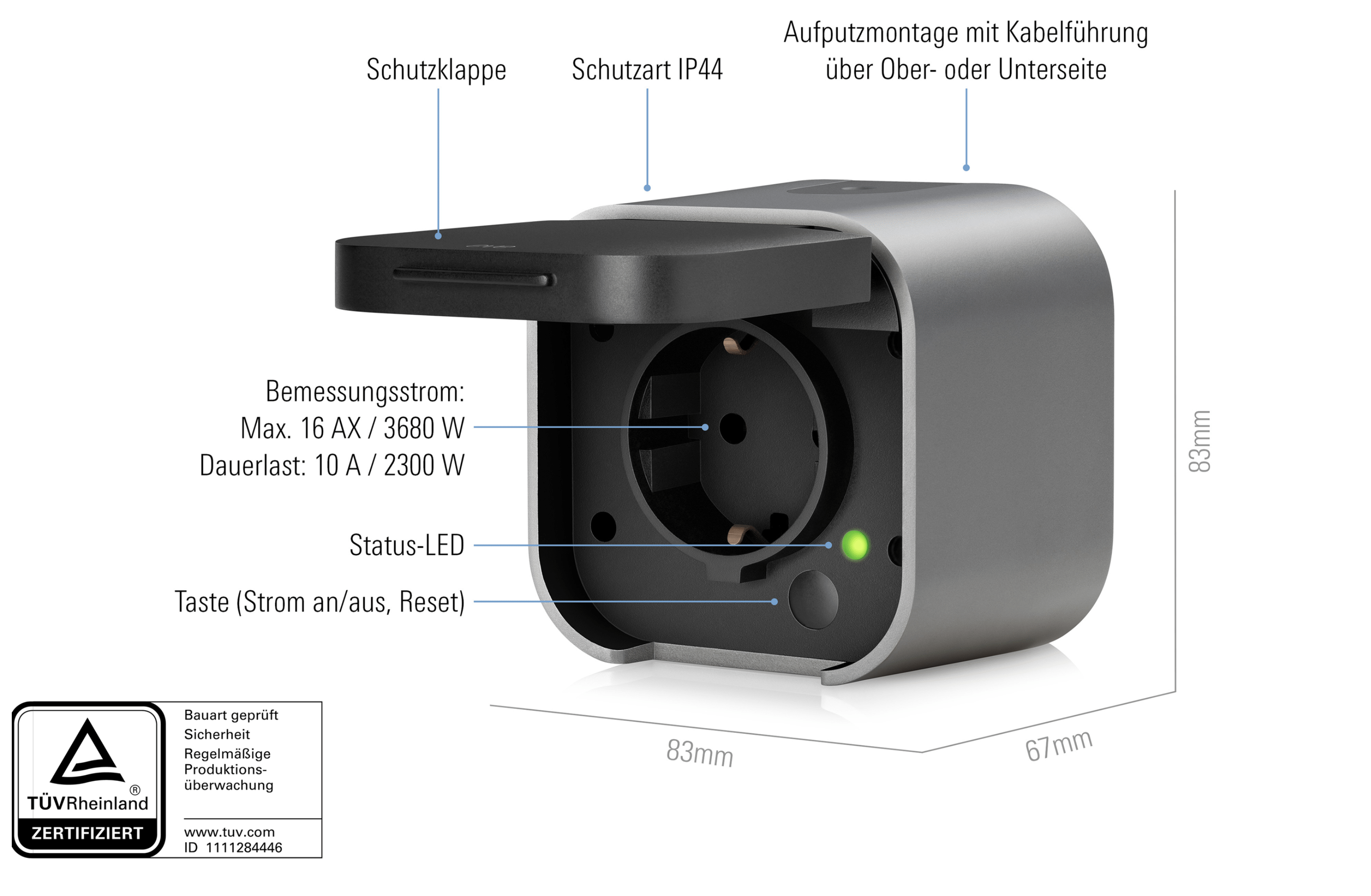
Eve hat eine: die Eve Energy Outdoor.

Wie immer bei Eve nicht ganz billig, aber das Gerät macht einen sehr wertigen Eindruck: Metallgehäuse, … alles bis auf den Taster, der ist Schrott.

Die Schrauben sind wahnsinnig klein; die stecken in diesen kleinen Löchern. Dafür musste ich das alte Uhrmacherwerkzeug raussuchen. Mit einem normalen Schraubenzieher oder Bit kommt man da nicht rein.

Bildschirmfoto 2024-10-17 um 16.24.20.

Und diese Gummideckel die die Kabelführung abdichten sind ziemlich nervig, das Gummi rutscht sehr ungerne. Das hält bestimmt gut dicht, ist aber ziemlich widerspenstig. Das Kabel lässt sich nur von oben oder unten zuführen, nicht von hinten direkt rein.

Hinter diesem Gummibobbel (links unter der grünen LED) ist ein Taster versteckt. Der ist mir beim Einbau gleich abgebrochen, das Ding ist eine Fehlkonstruktion und unfassbar fragil. Aber egal, da wo sie angebaut ist, brauche ich keine manuelle Bedienung. 

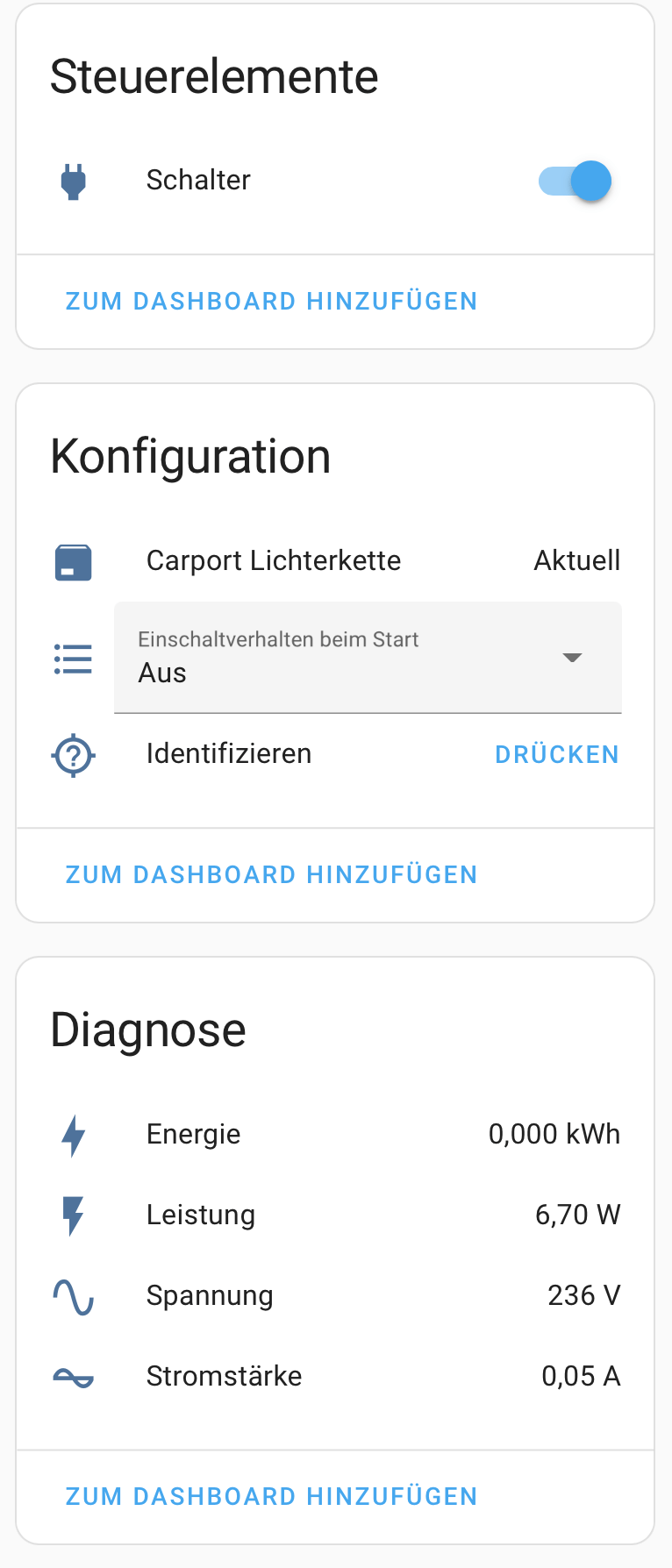
Die Steckdose wird über die App in HomeAssistant eingebunden: Thread und Matter halt. Das geht völlig problemlos: QR-Code abscannen, eine Minute warten und einen Namen vergeben. Danach tauchen einige neue Entitäten im HA auf:


Bildschirmfoto 2024-10-17 um 16.29.05.

Ikea Inspelning

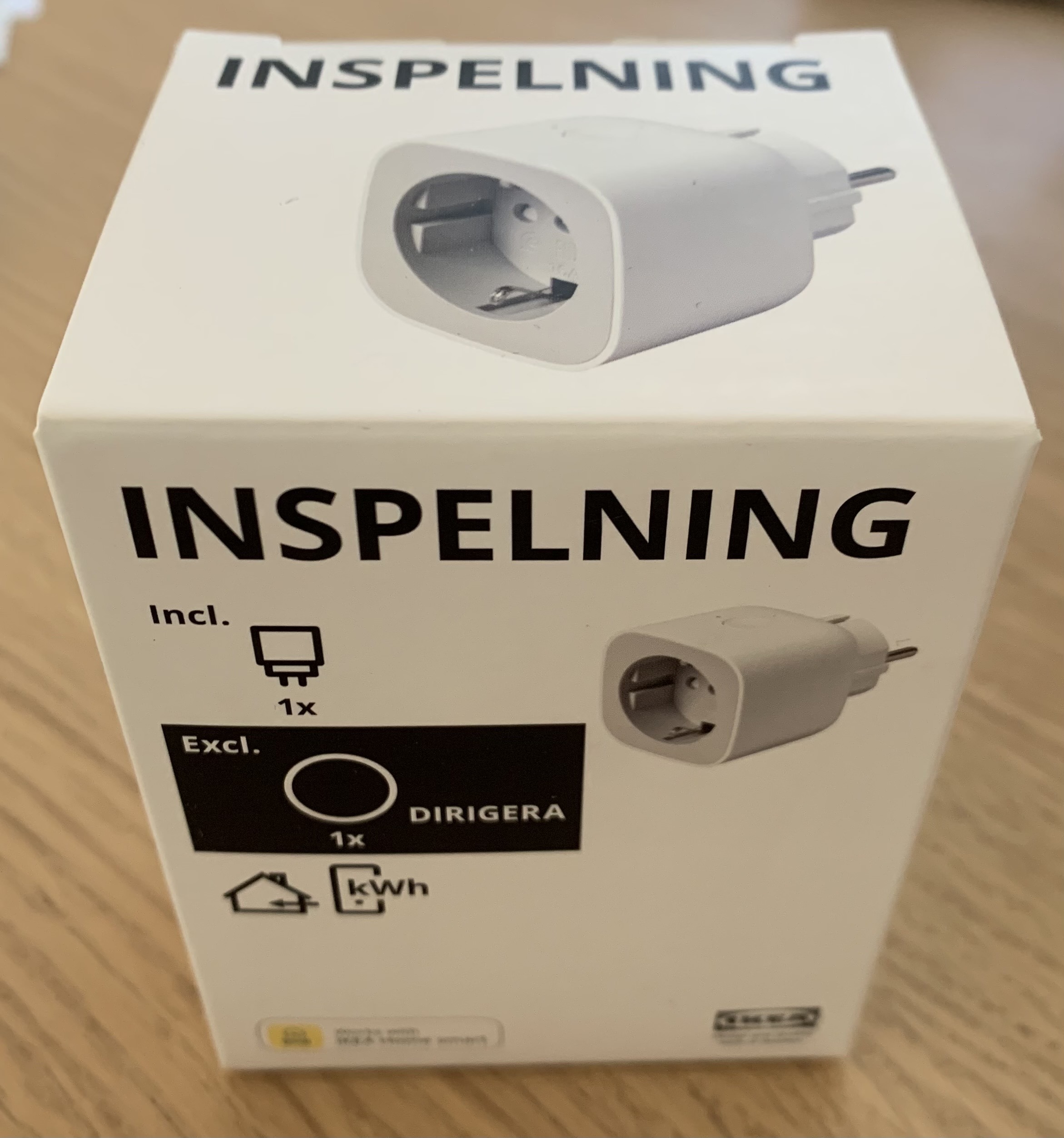
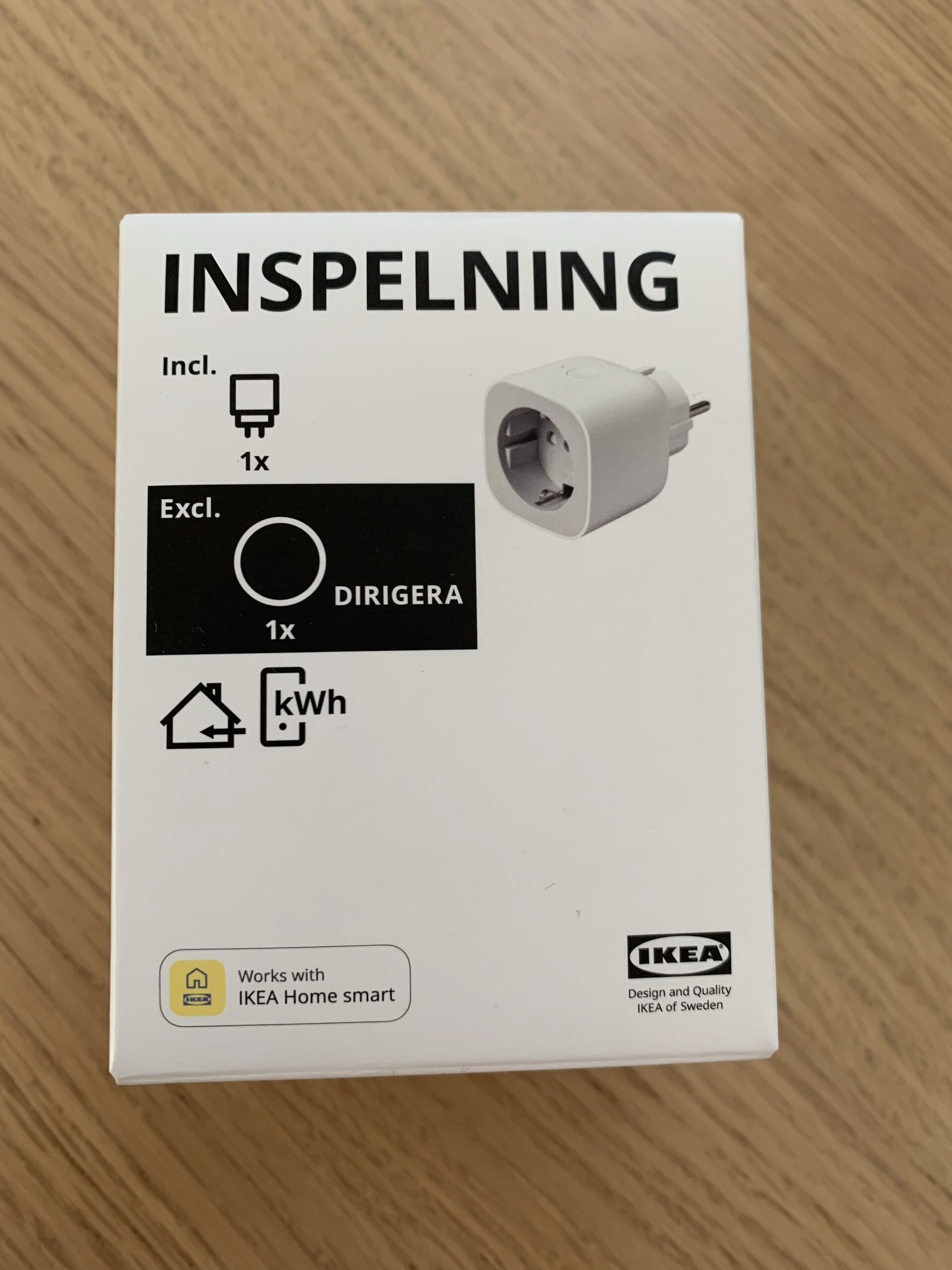
Ikea und seine komischen Produktnamen: Ikea Inspelning

Da wir ohnehin beim Ikea waren, habe ich aus Neugier eine von diesen neuen Zigbee-Steckdosen mitgenommen. Im Kern ist das eine preiswerte Version der AVM-Steckdose mit Zigbee statt DECT. Leider unterstützt Ikea immer noch kein Thread oder Matter. Das Gerät kann den angeschlossenen Verbraucher an- und abschalten und dessen Verbrauch messen. Zur manuellen Bedienung gibt es einen großen Knopf oben am Gehäuse, und einen kleinen Knopf zum Zigbee koppeln.

Die Einbindung in den Homeassistant klappt problemlos: Pairing-Button drücken und ein paar Sekunden warten.

Alles ist plastikfrei verpackt, nur Pappe, nicht mal ein Klebestreifen wurde verwendet. Das macht Ikea wirklich gut. Das Gerät selber besteht natürlich überwiegend aus Plastik.

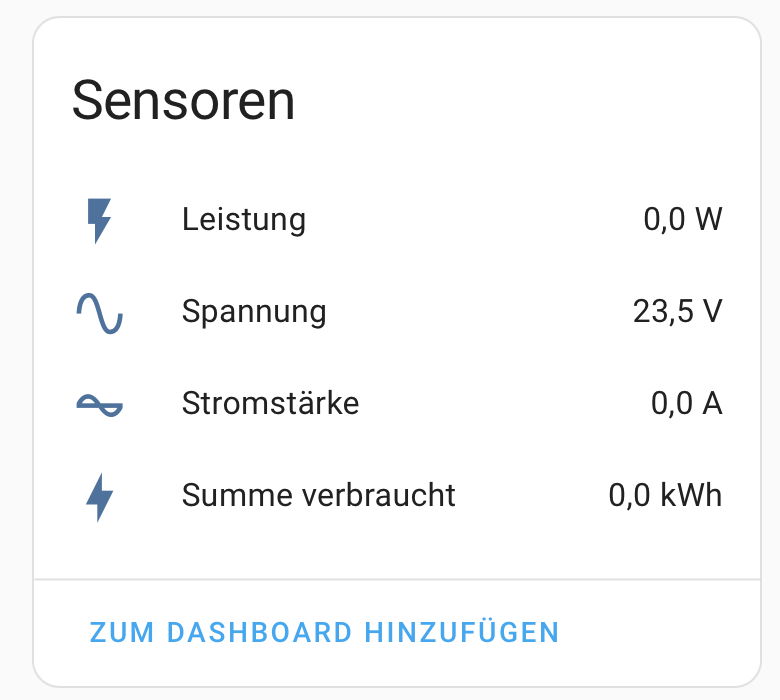
Nur die Messwerte sehen komisch aus: 23,5 Volt?

Bildschirmfoto 2024-10-06 um 09.54.18.

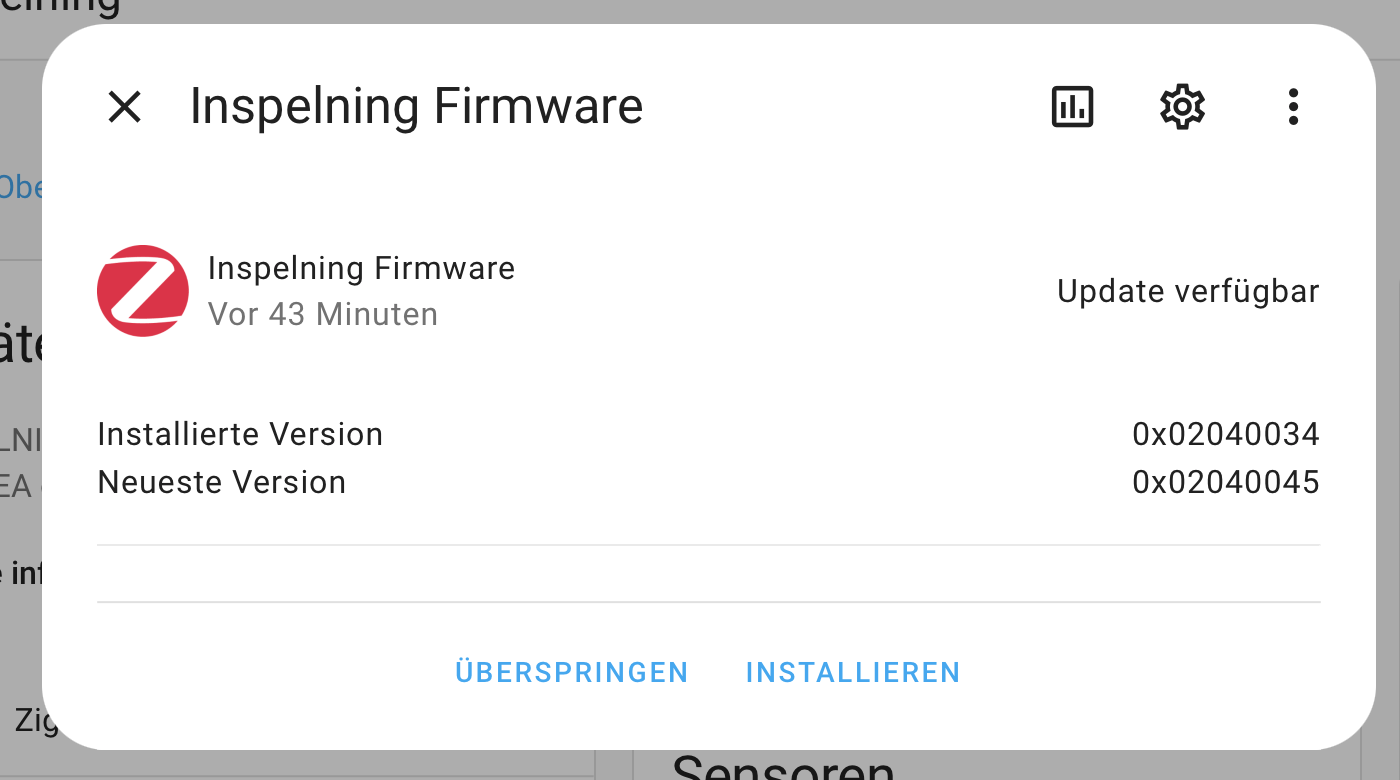
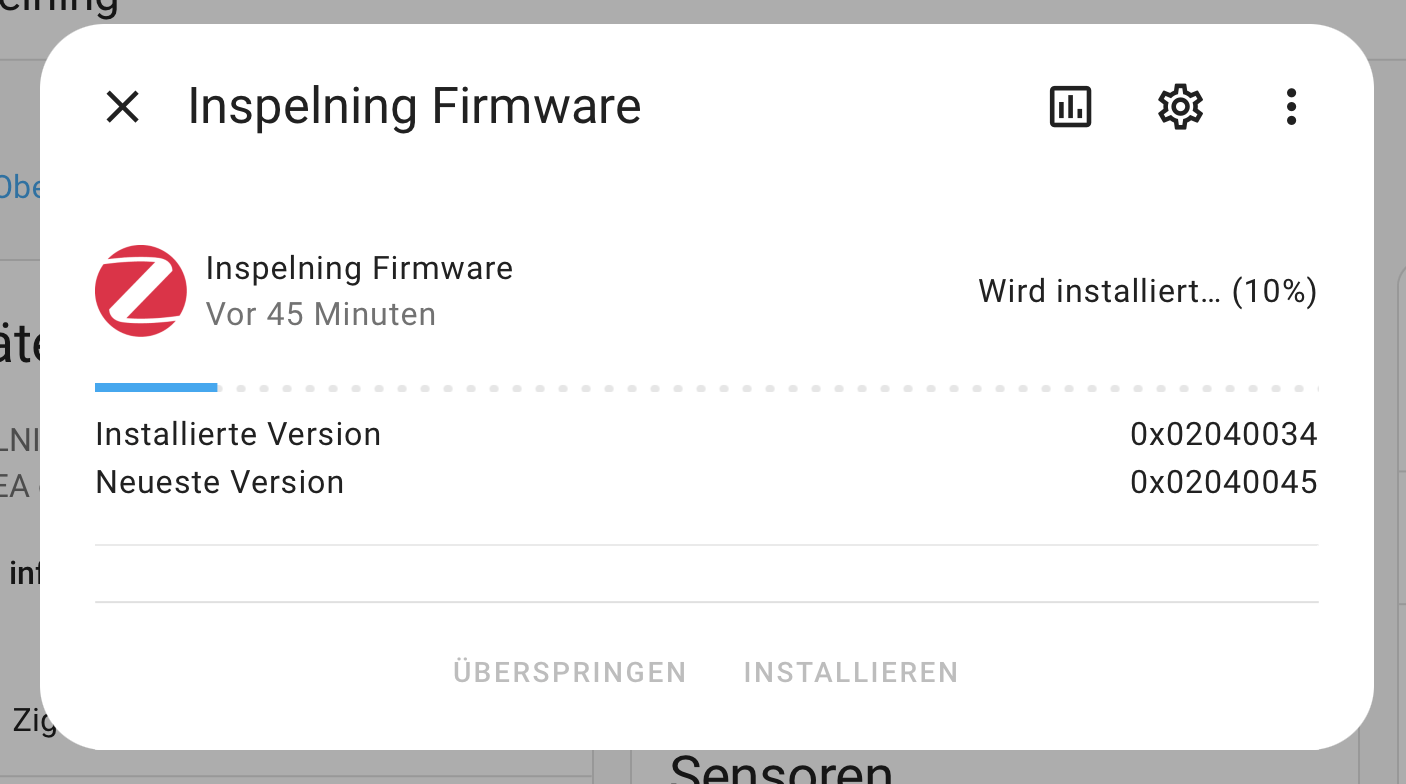
Darüber findet sich im Zigbee-Forum schon eine längliche Diskussion. Aber inzwischen ist die Lösung einfach: abwarten. Während ich die Forenbeiträge las, ging im Home Assistant eine Update-Meldung auf:

Bildschirmfoto 2024-10-06 um 09.54.55.

Das war es wohl Glück, daß zwischendurch das Home-Assistant 2024.10 Release kam, da scheint das schon integriert zu sein:.

Bildschirmfoto 2024-10-06 um 09.56.18.

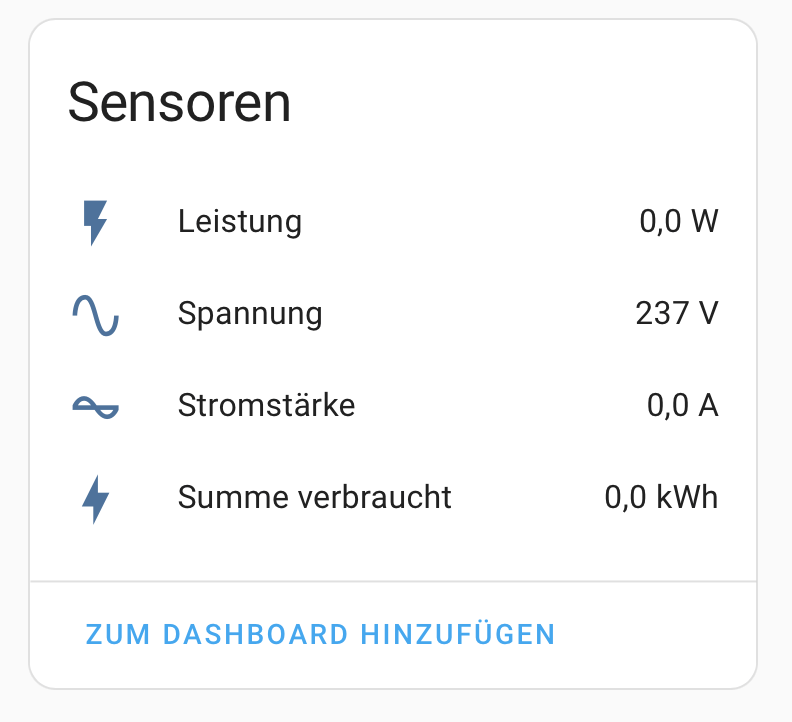
Danach war dann alles gut; da ist Ikea in der alten Firmware wohl eine Kommastelle verrutscht:

Bildschirmfoto 2024-10-06 um 10.20.03.

Jetzt läuft sie gut und wartet auf eine sinnvolle Verwendung:

Sie macht einen recht stabilen Eindruck und ist deutlich kleiner als die AVM-Steckdosen. In eine normale Steckerleiste passen mehrere Ikeas Inspelnings aber nicht nebeneinander, dafür sind sie zu dick.

Fenecon, Keba und die Rest-API

Nach der Einrichtung tauchen viele neue Attribute im Rest-Interface auf. Die meisten beinhalten einfach nur die Konfiguration der Keba Wallbox, die der Fenecon ließt:

[
    {
        "address": "ctrlEvcs0/AwaitingHysteresis“,
        "type": „BOOLEAN“,
        "accessMode": „RO“,
        "text": „“,
        "unit": „“,
        "value": null
    },
    {
        "address": "ctrlEvcs0/_PropertyEnabledCharging“,
        "type": „BOOLEAN“,
        "accessMode": „RO“,
        "text": „“,
        "unit": „“,
        "value": 1
    },
    {
        "address": "ctrlEvcs0/_PropertyEnabled“,
        "type": „BOOLEAN“,
        "accessMode": „RO“,
        "text": „“,
        "unit": „“,
        "value": 1
    },
    {
        "address": "ctrlEvcs0/_PropertyEnergySessionLimit“,
        "type": „INTEGER“,
        "accessMode": „RO“,
        "text": „“,
        "unit": „“,
        "value": 0
    },
    {
        "address": "ctrlEvcs0/_PropertyDefaultChargeMinPower“,
        "type": „INTEGER“,
        "accessMode": „RO“,
        "text": „“,
        "unit": „“,
        "value": 0
    },
    {
        "address": "ctrlEvcs0/_PropertyId“,
        "type": „STRING“,
        "accessMode": „RO“,
        "text": „“,
        "unit": „“,
        "value": „ctrlEvcs0“
    },
    {
        "address": "ctrlEvcs0/_PropertyEvcsId“,
        "type": „STRING“,
        "accessMode": „RO“,
        "text": „“,
        "unit": „“,
        "value": „evcs0“
    },
    {
        "address": "ctrlEvcs0/_PropertyChargeMode“,
        "type": „STRING“,
        "accessMode": „RO“,
        "text": „“,
        "unit": „“,
        "value": „EXCESS_POWER“
    },
    {
        "address": "ctrlEvcs0/State“,
        "type": „INTEGER“,
        "accessMode": „RO“,
        "text": "0:Ok, 1:Info, 2:Warning, 3:Fault“,
        "unit": „“,
        "value": 0
    },
    {
        "address": "ctrlEvcs0/RunFailed“,
        "type": „BOOLEAN“,
        "accessMode": „RO“,
        "text": "Running the Controller failed“,
        "unit": „“,
        "value": 0
    },
    {
        "address": "ctrlEvcs0/_PropertyDebugMode“,
        "type": „BOOLEAN“,
        "accessMode": „RO“,
        "text": „“,
        "unit": „“,
        "value": 0
    },
    {
        "address": "ctrlEvcs0/_PropertyPriority“,
        "type": „STRING“,
        "accessMode": „RO“,
        "text": „“,
        "unit": „“,
        "value": „CAR“
    },
    {
        "address": "ctrlEvcs0/_PropertyAlias“,
        "type": „STRING“,
        "accessMode": „RO“,
        "text": „“,
        "unit": „“,
        "value": "Ladestation Steuerung“
    },
    {
        "address": "ctrlEvcs0/_PropertyForceChargeMinPower“,
        "type": „INTEGER“,
        "accessMode": „RO“,
        "text": „“,
        "unit": „“,
        "value": 3666
    },
    {
        "address": "evcs0/ChargingstationCommunicationFailed“,
        "type": „BOOLEAN“,
        "accessMode": „RO“,
        "text": "Chargingstation Communication Failed | Keine Verbindung zur Ladestation | Bitte überprüfen Sie die Kommunikationsverbindung zu der Ladestation“,
        "unit": „“,
        "value": 0
    },
    {
        "address": "evcs0/DipSwitchInfo28SetForInstallation“,
        "type": „BOOLEAN“,
        "accessMode": „RO“,
        "text": "Installation mode is configured. If the installation has finished, Dip-Switch 2.8. should be off“,
        "unit": „“,
        "value": 0
    },
    {
        "address": "evcs0/Plug“,
        "type": „INTEGER“,
        "accessMode": „RO“,
        "text": "0:Unplugged, 1:Plugged on EVCS, 3:Plugged on EVCS and locked, 5:Plugged on EVCS and on EV, 7:Plugged on EVCS and on EV and locked“,
        "unit": „“,
        "value": 3
    },
    {
        "address": "evcs0/Product“,
        "type": „STRING“,
        "accessMode": „RO“,
        "text": "Model name (variant)“,
        "unit": „“,
        "value": "KC-P30-E123456-E00-PV“
    },
    {
        "address": "evcs0/ChargingstationStateError“,
        "type": „BOOLEAN“,
        "accessMode": „RO“,
        "text": „“,
        "unit": „“,
        "value": 0
    },
    {
        "address": "evcs0/TimeoutCt“,
        "type": „INTEGER“,
        "accessMode": „RO“,
        "text": "Shows the remaining time until the current value is accepted“,
        "unit": „sec“,
        "value": 0
    },
    {
        "address": "evcs0/Input“,
        "type": „BOOLEAN“,
        "accessMode": „RO“,
        "text": "State of the potential free Enable input X1. When using the input, please pay attention to the information in the installation manual.“,
        "unit": "On/Off“,
        "value": 0
    },
    {
        "address": "evcs0/Phases“,
        "type": „INTEGER“,
        "accessMode": „RO“,
        "text": "1:One Phase, 2:Two Phase“,
        "unit": „“,
        "value": 3
    },
    {
        "address": "evcs0/EnergyTotal“,
        "type": „LONG“,
        "accessMode": „RO“,
        "text": "Total power consumption (persistent) without current loading session. Is summed up after each completed charging session“,
        "unit": „Wh_Σ“,
        "value": 52510
    },
    {
        "address": "evcs0/PowerPrecision“,
        "type": „DOUBLE“,
        "accessMode": „RO“,
        "text": „“,
        "unit": „W“,
        "value": 0.23
    },
    {
        "address": "evcs0/MaxCurr“,
        "type": „INTEGER“,
        "accessMode": „RO“,
        "text": "Current preset value via Control pilot“,
        "unit": „mA“,
        "value": 16000
    },
    {
        "address": "evcs0/VoltageL1“,
        "type": „INTEGER“,
        "accessMode": „RO“,
        "text": "Voltage on L1“,
        "unit": „V“,
        "value": 0
    },
    {
        "address": "evcs0/Firmware“,
        "type": „STRING“,
        "accessMode": „RO“,
        "text": "Firmware version“,
        "unit": „“,
        "value": "P30 v 3.10.57 (240521-093236)“
    },
    {
        "address": "evcs0/NoEnergyMeterInstalled“,
        "type": „BOOLEAN“,
        "accessMode": „RO“,
        "text": "This keba cannot measure energy values, because there is no energy meter in it.“,
        "unit": „“,
        "value": 0
    },
    {
        "address": "evcs0/VoltageL2“,
        "type": „INTEGER“,
        "accessMode": „RO“,
        "text": "Voltage on L2“,
        "unit": „V“,
        "value": 0
    },
    {
        "address": "evcs0/VoltageL3“,
        "type": „INTEGER“,
        "accessMode": „RO“,
        "text": "Voltage on L3“,
        "unit": „V“,
        "value": 0
    },
    {
        "address": "evcs0/Status“,
        "type": „INTEGER“,
        "accessMode": „RO“,
        "text": "0:Starting, 1:Not ready for Charging, 2:Ready for Charging, 3:Charging, 4:Error, 5:Charging rejected, 6:The charging limit reached, 7:Charging has finished“,
        "unit": „“,
        "value": 1
    },
    {
        "address": "evcs0/CurrTimer“,
        "type": „INTEGER“,
        "accessMode": „RO“,
        "text": "Shows the current preset value of currtime“,
        "unit": „mA“,
        "value": 0
    },
    {
        "address": "evcs0/CurrUser“,
        "type": „INTEGER“,
        "accessMode": „RO“,
        "text": "Current preset value of the user via UDP; Default = 63000mA“,
        "unit": „mA“,
        "value": 6561
    },
    {
        "address": "evcs0/EnableUser“,
        "type": „BOOLEAN“,
        "accessMode": „RO“,
        "text": "Enable condition via UDP“,
        "unit": „“,
        "value": 0
    },
    {
        "address": "evcs0/CurrentL3“,
        "type": „INTEGER“,
        "accessMode": „RO“,
        "text": "Current on L3“,
        "unit": „mA“,
        "value": 0
    },
    {
        "address": "evcs0/MinimumHardwarePower“,
        "type": „INTEGER“,
        "accessMode": „RO“,
        "text": „“,
        "unit": „W“,
        "value": 4140
    },
    {
        "address": "evcs0/FixedMinimumHardwarePower“,
        "type": „INTEGER“,
        "accessMode": „RO“,
        "text": „“,
        "unit": „W“,
        "value": 4140
    },
    {
        "address": "evcs0/MinimumPower“,
        "type": „INTEGER“,
        "accessMode": „RO“,
        "text": „“,
        "unit": „W“,
        "value": 0
    },
    {
        "address": "evcs0/CosPhi“,
        "type": „INTEGER“,
        "accessMode": „RO“,
        "text": "Power factor“,
        "unit": „%“,
        "value": 0
    },
    {
        "address": "evcs0/ChargingType“,
        "type": „INTEGER“,
        "accessMode": „RO“,
        "text": "0:CCS, 1:Chademo, 2:AC“,
        "unit": „“,
        "value": 2
    },
    {
        "address": "evcs0/MaximumPower“,
        "type": „INTEGER“,
        "accessMode": „RO“,
        "text": „“,
        "unit": „W“,
        "value": null
    },
    {
        "address": "evcs0/FixedMaximumHardwarePower“,
        "type": „INTEGER“,
        "accessMode": „RO“,
        "text": „“,
        "unit": „W“,
        "value": 11040
    },
    {
        "address": "evcs0/State“,
        "type": „INTEGER“,
        "accessMode": „RO“,
        "text": "0:Ok, 1:Info, 2:Warning, 3:Fault“,
        "unit": „“,
        "value": 0
    },
    {
        "address": "evcs0/MaximumHardwarePower“,
        "type": „INTEGER“,
        "accessMode": „RO“,
        "text": „“,
        "unit": „W“,
        "value": 11040
    },
    {
        "address": "evcs0/_PropertyDebugMode“,
        "type": „BOOLEAN“,
        "accessMode": „RO“,
        "text": „“,
        "unit": „“,
        "value": 0
    },
    {
        "address": "evcs0/ChargeState“,
        "type": „INTEGER“,
        "accessMode": „RO“,
        "text": "0:Not charging, 1:Charging, 2:Decreasing, 3:Increasing, 4:Waiting for available power“,
        "unit": „“,
        "value": 0
    },
    {
        "address": "evcs0/TimeoutFailsafe“,
        "type": „INTEGER“,
        "accessMode": „RO“,
        "text": "Communication timeout before triggering the Failsafe function“,
        "unit": „sec“,
        "value": 0
    },
    {
        "address": "evcs0/DipSwitchError26NotSetForStaticIp“,
        "type": „BOOLEAN“,
        "accessMode": „RO“,
        "text": "A static ip is configured. The Dip-Switch 2.6. must be on“,
        "unit": „“,
        "value": 0
    },
    {
        "address": "evcs0/_PropertyMinHwCurrent“,
        "type": „INTEGER“,
        "accessMode": „RO“,
        "text": „“,
        "unit": „“,
        "value": 6000
    },
    {
        "address": "evcs0/ChargeMode“,
        "type": „INTEGER“,
        "accessMode": „RO“,
        "text": "1:Use surplus power“,
        "unit": „“,
        "value": 1
    },
    {
        "address": "evcs0/MaxCurrPercent“,
        "type": „INTEGER“,
        "accessMode": „RO“,
        "text": "Current preset value via Control pilot in 0,1% of the PWM value“,
        "unit": „“,
        "value": 1000
    },
    {
        "address": "evcs0/DipSwitchError13NotSetForComm“,
        "type": „BOOLEAN“,
        "accessMode": „RO“,
        "text": "Dip-Switch 1.3. for communication must be on“,
        "unit": „“,
        "value": 0
    },
    {
        "address": "evcs0/CurrFailsafe“,
        "type": „INTEGER“,
        "accessMode": „RO“,
        "text": "Current preset value for the Failsafe function“,
        "unit": „mA“,
        "value": 0
    },
    {
        "address": "evcs0/IsClustered“,
        "type": „BOOLEAN“,
        "accessMode": „RO“,
        "text": „“,
        "unit": „“,
        "value": null
    },
    {
        "address": "evcs0/ActiveConsumptionEnergy“,
        "type": „LONG“,
        "accessMode": „RO“,
        "text": „“,
        "unit": „Wh_Σ“,
        "value": 52510
    },
    {
        "address": "evcs0/_PropertyUseDisplay“,
        "type": „BOOLEAN“,
        "accessMode": „RO“,
        "text": „“,
        "unit": „“,
        "value": 1
    },
    {
        "address": "evcs0/Output“,
        "type": „BOOLEAN“,
        "accessMode": „RO“,
        "text": "State of the output X2“,
        "unit": "On/Off“,
        "value": 0
    },
    {
        "address": "evcs0/SetChargePowerLimit“,
        "type": „INTEGER“,
        "accessMode": „RW“,
        "text": „“,
        "unit": „W“,
        "value": 0
    },
    {
        "address": "evcs0/DipSwitch1“,
        "type": „STRING“,
        "accessMode": „RO“,
        "text": "The first eight dip switch settings as binary“,
        "unit": „“,
        "value": „00100010“
    },
    {
        "address": "evcs0/DipSwitch2“,
        "type": „STRING“,
        "accessMode": „RO“,
        "text": "The second eight dip switch settings as binary“,
        "unit": „“,
        "value": „00000000“
    },
    {
        "address": "evcs0/EnergySession“,
        "type": „INTEGER“,
        "accessMode": „RO“,
        "text": „“,
        "unit": „Wh“,
        "value": 7612
    },
    {
        "address": "evcs0/CurrentL1“,
        "type": „INTEGER“,
        "accessMode": „RO“,
        "text": "Current on L1“,
        "unit": „mA“,
        "value": 0
    },
    {
        "address": "evcs0/SetChargePowerRequest“,
        "type": „INTEGER“,
        "accessMode": „RW“,
        "text": „“,
        "unit": „W“,
        "value": null
    },
    {
        "address": "evcs0/CurrentL2“,
        "type": „INTEGER“,
        "accessMode": „RO“,
        "text": "Current on L2“,
        "unit": „mA“,
        "value": 0
    },
    {
        "address": "evcs0/SetDisplayText“,
        "type": „STRING“,
        "accessMode": „RW“,
        "text": „“,
        "unit": „“,
        "value": null
    },
    {
        "address": "evcs0/_PropertyAlias“,
        "type": „STRING“,
        "accessMode": „RO“,
        "text": „“,
        "unit": „“,
        "value": "KEBA Ladestation“
    },
    {
        "address": "evcs0/StatusKeba“,
        "type": „INTEGER“,
        "accessMode": „RO“,
        "text": "Current state of the charging station“,
        "unit": „“,
        "value": 1
    },
    {
        "address": "evcs0/EnableSys“,
        "type": „BOOLEAN“,
        "accessMode": „RO“,
        "text": "Enable state for charging (contains Enable input, RFID, UDP,..)“,
        "unit": „“,
        "value": 0
    },
    {
        "address": "evcs0/ProductSeriesIsNotCompatible“,
        "type": „BOOLEAN“,
        "accessMode": „RO“,
        "text": "Keba e- and b-series cannot be controlled because their software and hardware are not designed for it.“,
        "unit": „“,
        "value": 0
    },
    {
        "address": "evcs0/_PropertyIp“,
        "type": „STRING“,
        "accessMode": „RO“,
        "text": „“,
        "unit": „“,
        "value": „1.1.1.1“
    },
    {
        "address": "evcs0/ChargePower“,
        "type": „INTEGER“,
        "accessMode": „RO“,
        "text": „“,
        "unit": „W“,
        "value": 0
    },
    {
        "address": "evcs0/_PropertyEnabled“,
        "type": „BOOLEAN“,
        "accessMode": „RO“,
        "text": „“,
        "unit": „“,
        "value": 1
    },
    {
        "address": "evcs0/ComModule“,
        "type": „STRING“,
        "accessMode": „RO“,
        "text": "Communication module is installed; KeContact P30 only“,
        "unit": „“,
        "value": „1“
    },
    {
        "address": "evcs0/Error2“,
        "type": „INTEGER“,
        "accessMode": „RO“,
        "text": "Detail code for state ERROR; exceptions see FAQ on www.kecontact.com“,
        "unit": „“,
        "value": 0
    },
    {
        "address": "evcs0/ActualPower“,
        "type": „INTEGER“,
        "accessMode": „RO“,
        "text": "Total real power“,
        "unit": „mW“,
        "value": 0
    },
    {
        "address": "evcs0/Serial“,
        "type": „STRING“,
        "accessMode": „RO“,
        "text": "Serial number“,
        "unit": „“,
        "value": „123456789“
    },
    {
        "address": "evcs0/DipSwitchInfo25SetForMasterSlaveComm“,
        "type": „BOOLEAN“,
        "accessMode": „RO“,
        "text": "Master-Slave communication is configured. If this is a normal KEBA that should be not controlled by a KEBA x-series, Dip-Switch 2.5. should be off“,
        "unit": „“,
        "value": 0
    },
    {
        "address": "evcs0/_PropertyId“,
        "type": „STRING“,
        "accessMode": „RO“,
        "text": „“,
        "unit": „“,
        "value": „evcs0“
    },
    {
        "address": "evcs0/Error1“,
        "type": „INTEGER“,
        "accessMode": „RO“,
        "text": "Detail code for state ERROR; exceptions see FAQ on www.kecontact.com“,
        "unit": „“,
        "value": 0
    },
    {
        "address": "evcs0/SetChargePowerLimitWithFilter“,
        "type": „INTEGER“,
        "accessMode": „RW“,
        "text": „“,
        "unit": „W“,
        "value": null
    },
    {
        "address": "evcs0/DipSwitchMaxHw“,
        "type": „INTEGER“,
        "accessMode": „RO“,
        "text": "The raw maximum limit configured by the dip switches“,
        "unit": „mA“,
        "value": 16000
    },
    {
        "address": "evcs0/DipSwitchError26SetForDynamicIp“,
        "type": „BOOLEAN“,
        "accessMode": „RO“,
        "text": "A dynamic ip is configured. Either the Dip-Switch 2.6. must be off or a static ip has to be configured“,
        "unit": „“,
        "value": 0
    },
    {
        "address": "evcs0/SetEnergyLimit“,
        "type": „INTEGER“,
        "accessMode": „RW“,
        "text": „“,
        "unit": „Wh“,
        "value": 0
    }
]

Fenecons Rest-Doku: https://docs.fenecon.de/de/fems/fems-app/App_REST-JSON_Lese-Schreibzugriff.html

Fenecon Home und Keba PV30

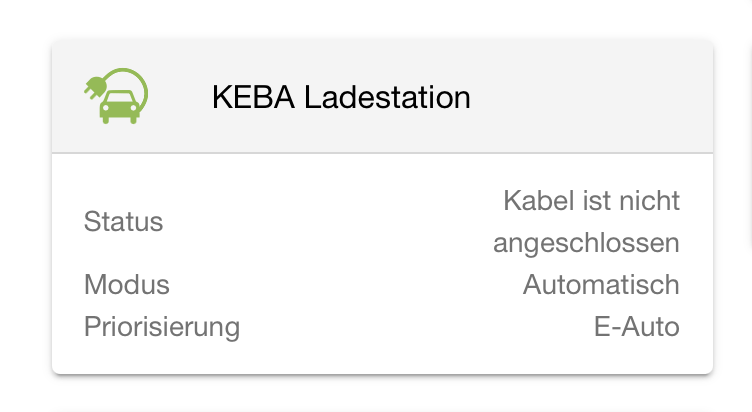
Die Keba-App auf dem Fenecon Home ist recht übersichtlich:

Bildschirmfoto 2024-10-05 um 06.54.21.

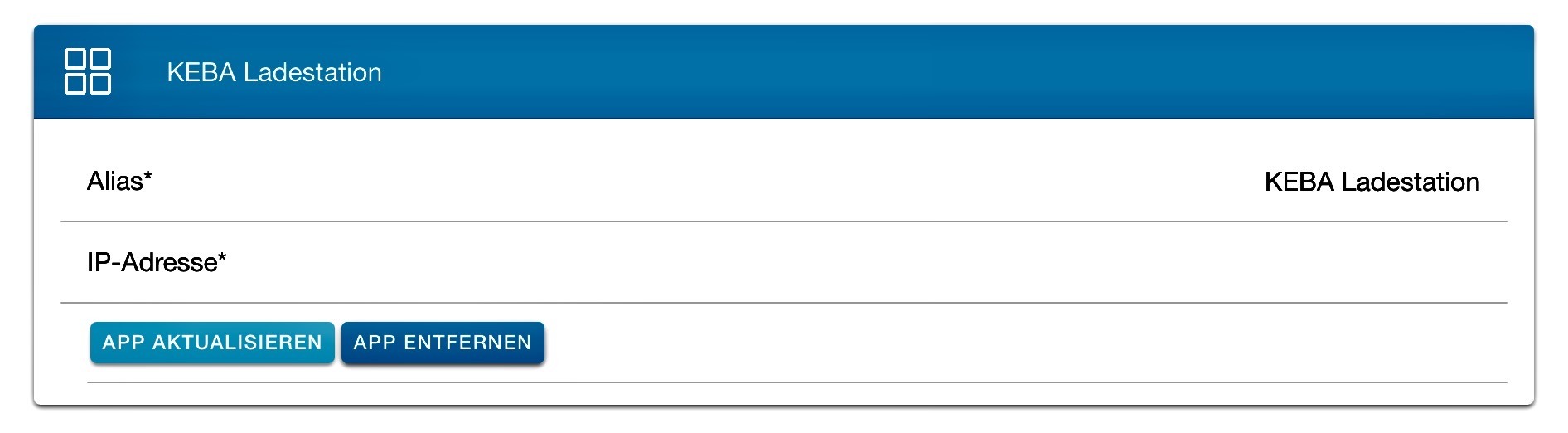
Die Konfiguration ist trivial: IP-Adresse eintragen und los geht’s.

Bildschirmfoto 2024-10-05 um 06.55.41.

Komisch ist, daß die Keba überhaupt keine Zugangskontrolle hat. Wenn man die IP-Adresse kennst, kann man sie steuern.

Der Fenecon benutzt das UDP-Protokoll zum Steuern der Keba PV30 Wallbox. Das UDP muss man in der Keba per Dip-Schalter aktivieren. Hierfür gibt es von Fenecon eine Anleitung, die das genau beschreibt.
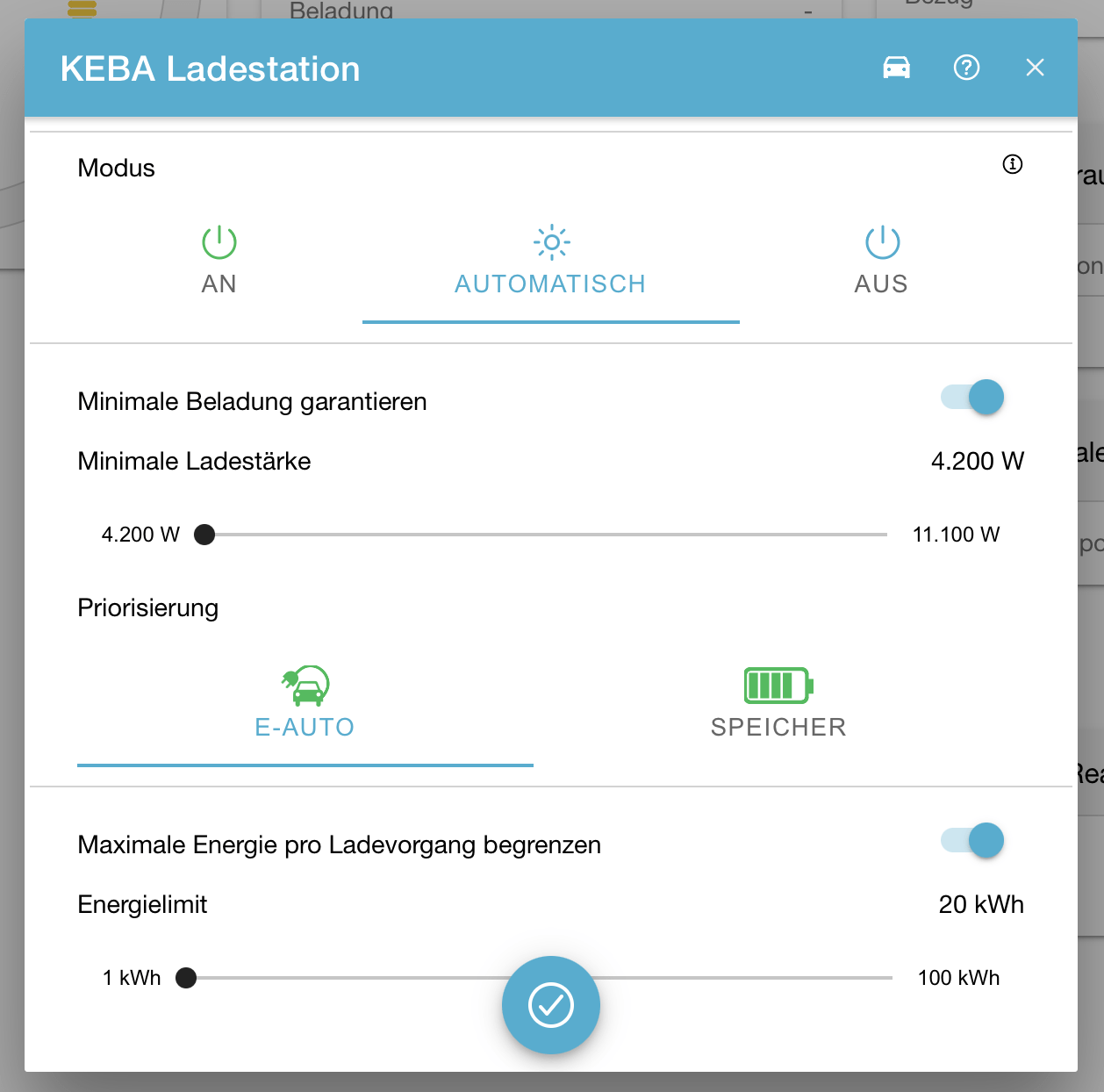
Der Fenecon hat drei Konfigurations-Modi: An, Aus und Automatisch.

Bei Aus konfiguriert der Fenecon die Wallbox auf 0 Watt verfügbare Energie. Die Wallbox ist also online, gibt aber keine Energie an das Auto ab.

An heißt maximale Leistungsabgabe, egal ob der Strom von der PV, aus dem Akku oder dem Netz kommt; oder alles auch alles drei gleichzeitig.

Im Automatik-Modus regelt der Fenecon die Wallbox dynamisch. Entweder füllt er bei PV-Überschuss den Hausakku oder das Auto zuerst. Ist der gewählte Akku voll, springt er von alleine auf den zweiten Akku um. Das funktioniert auch prima. 

Bildschirmfoto 2024-10-05 um 07.02.55.

Außerdem kann man eine minimale Ladestärke (fürs Auto, nicht für den Haus-Akku) festlegen. Wenn man da 6000 Watt einstellt, geht die Walbox erst bei 6.000 verfügbarem PV-Überschuss „an“. Unter 4200 Watt geht die WB geht nicht, da sie immer mit drei Phasen lädt. Ein dynamisches Umschalten auf eine Phase geht in dieser Konfiguration nicht, Es gibt von Keba das KeContact S10, welches das kann. Das haben wir aber nicht verbaut, mir ist auch nicht klar, ob das zusammen mit der Fenecon-Regelung funktionieren würde; das wird im Fenecon-Handbuch mit keinem Wort erwähnt. Und auf unter 4200 KW kann man die Fenecon-Konfiguration nicht setzen.

Es gibt hier einen Foren-Beitrag, daß das wohl nicht voll-automatisch funktioniert: https://www.photovoltaikforum.com/thread/202581-keba-p-30-und-fenecon-home/

Schade ist, daß man nicht einstellen kann: lade das Auto bis 80% oder so. Aber der Fenecon weiß leider nicht, wie voll der Auto-Akku ist. Das muss man also im Auto einstellen, daß nimmt dann halt keine Energie mehr ab.

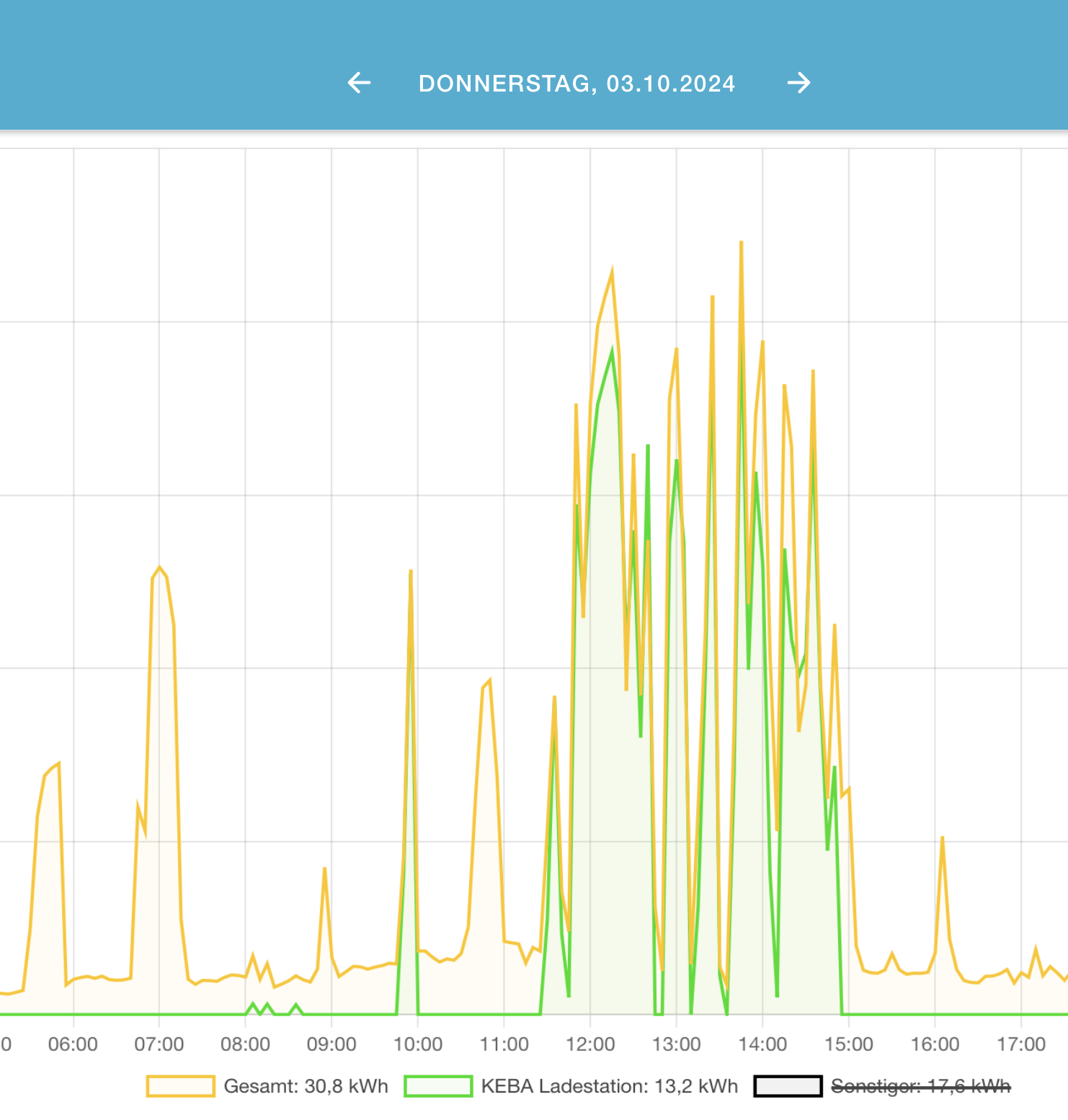
In der Historie kann man sehen, wie die Ladestation dem PV-Überschuss folgt:

Bildschirmfoto 2024-10-05 um 08.32.21.

EWE und IPV6

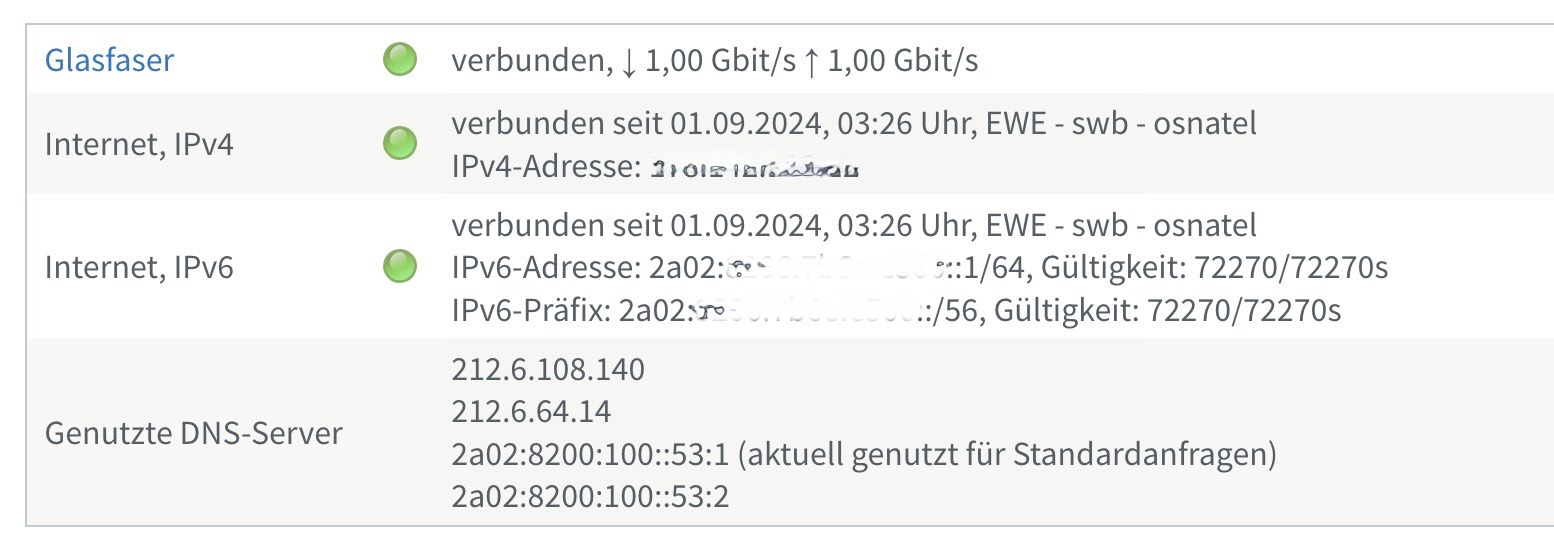
Ich habe mich gewundert, warum das PiHole Blocking manchmal nicht mehr funktioniert. Siehe da: EWE hat IPV6 für AON-Anschlüsse freigeben. Dadurch sind die IPV6-fähigen Apps und Seiten am PiHole vorbeigelaufen.

Bildschirmfoto 2024-09-01 um 07.22.16.

Und der PiHole ist aktuell halt nur für IPV4 konfiguriert. Und auch die ganzen anderen Geräte (NAS, Home Assistant, Samba, …) einmal durch konfigurieren. Schon war der Nachmittag weg.

Die EWE verteilt ein 56er Netz an Endkunden, also mehr als genug Platz. Schön sind die IP-Adressen der EWE-DNS-Server 🙂

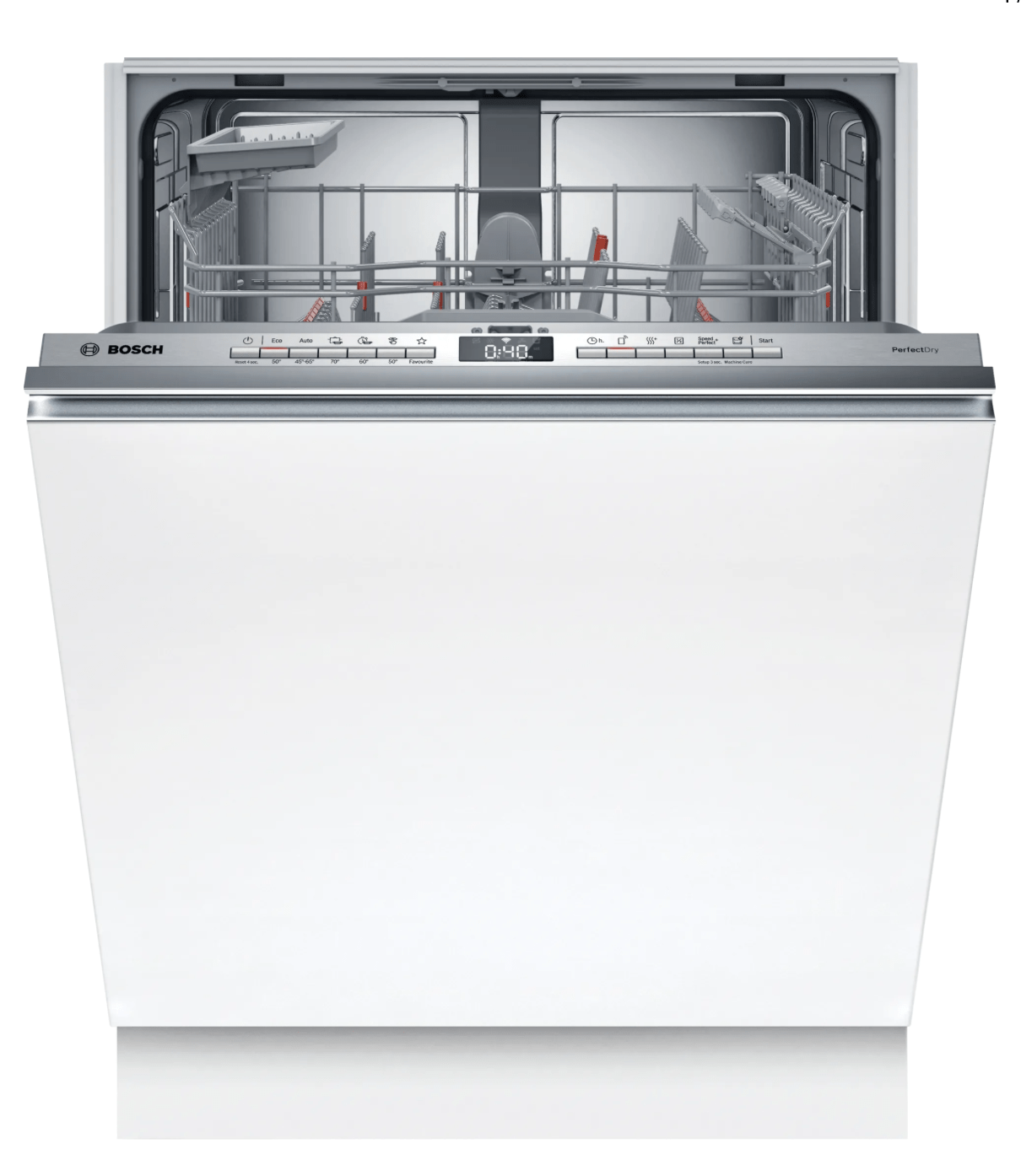
Bosch Smart Spülmaschine

Wenn mir mal jemand erzählt hätte, daß ich einen nmap auf eine Spülmaschine mache und dabei auch noch einen WebServer finde, hätte ich gefragt, was man denn so genommen hätte. Aber da sind wir:

➜  ~ nmap -A --osscan-guess -Pn -sV 192.168.0.11
Starting Nmap 7.95 ( https://nmap.org ) at 2024-08-29 16:21 CEST
Nmap scan report for bosch-dishwasher-123.fritz.box (192.168.0.11)
Host is up (0.0060s latency).
Not shown: 999 closed tcp ports (conn-refused)
PORT STATE SERVICE VERSION
443/tcp open ssl/https?
|_ssl-date: TLS randomness does not represent time
Service detection performed. Please report any incorrect results at https://nmap.org/submit/ .
Nmap done: 1 IP address (1 host up) scanned in 43.83 seconds

Spülmaschine mit HTTPS-Port:

➜  ~ nmap -sV --script ssl-enum-ciphers -p 443 192.168.0.11
Starting Nmap 7.95 ( https://nmap.org ) at 2024-08-29 16:26 CEST
Nmap scan report for bosch-dishwasher-123.fritz.box (192.168.0.11)
Host is up (0.093s latency).
PORT STATE SERVICE VERSION
443/tcp open ssl/https?
| ssl-enum-ciphers:
| TLSv1.2:
| ciphers:
| TLS_ECDHE_PSK_WITH_CHACHA20_POLY1305_SHA256 (secp256r1) - A
| TLS_ECDHE_PSK_WITH_AES_128_CBC_SHA256 (secp256r1) - A
| TLS_PSK_WITH_AES_256_CBC_SHA - unknown
| TLS_NULL_WITH_NULL_NULL - F
| compressors:
| NULL
| cipher preference: server
| warnings:
| Anonymous key exchange, score capped at F
|_ least strength: unknown
Service detection performed. Please report any incorrect results at https://nmap.org/submit/ .
Nmap done: 1 IP address (1 host up) scanned in 32.71 seconds
➜ ~

Home Assistant mit Bosch Smart-Spülmaschine

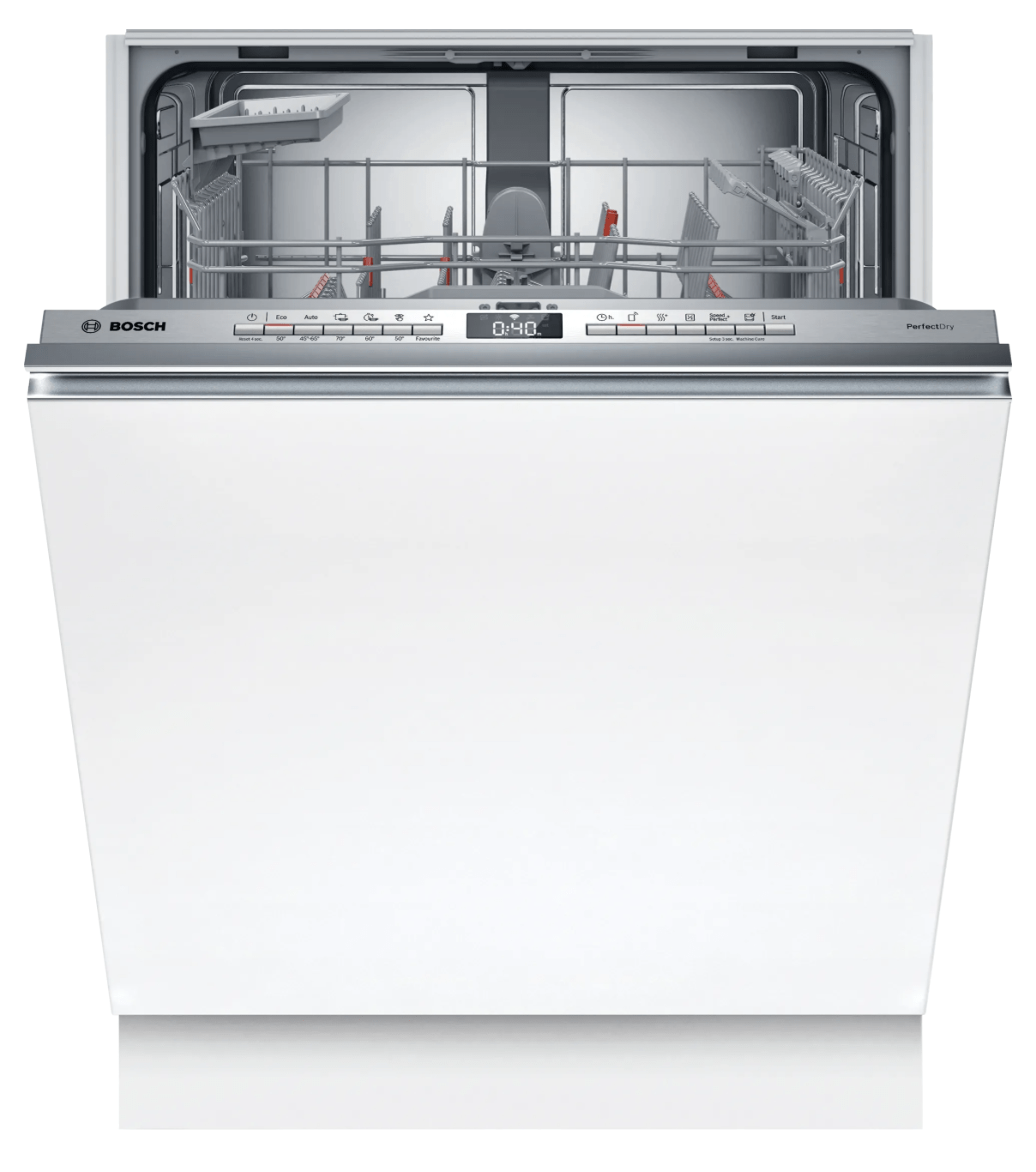
Unsere alte Spülmaschine war kaputt und die neue hat Home Connect. Home Connect scheint mir für eine Spülmaschine totaler Quatsch zu sein. Ein- und Ausräumen muss man immer manuell machen, und dann kann man sie auch einfach anschalten. Ganz ohne App und so. Und wann sie fertig ist, interessiert mich eigentlich auch nicht wirklich.Bildschirmfoto 2024-08-29 um 16.06.46.


Aber egal, wenn es schon da ist, muss die Einbindung in Home Assistant natürlich sein.

Es gibt zwei Plugins: Home Connect und Home Connect Alt. Beide funktionieren, die Alt-Version scheint mir aber etwas moderner zu sein; es baut ließt die vorhandenen Entitäten dynamisch aus und erzeugt diese in Home Assistant.

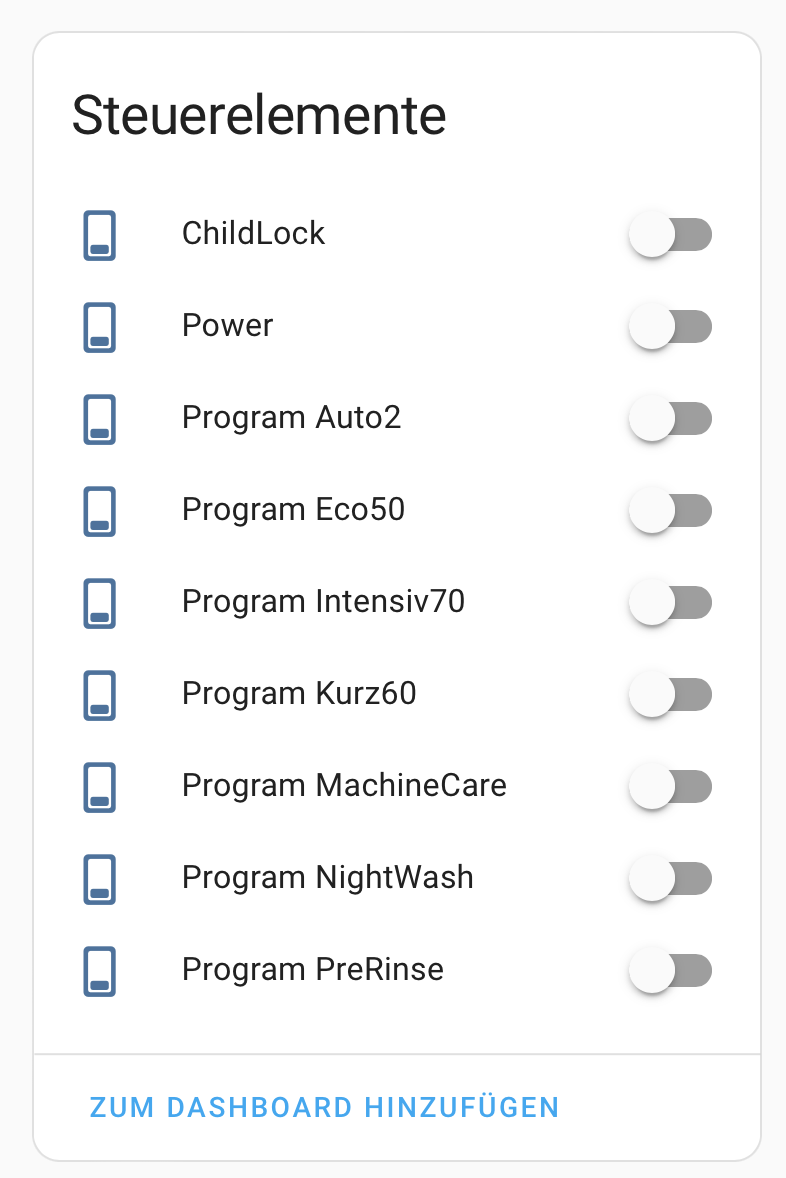
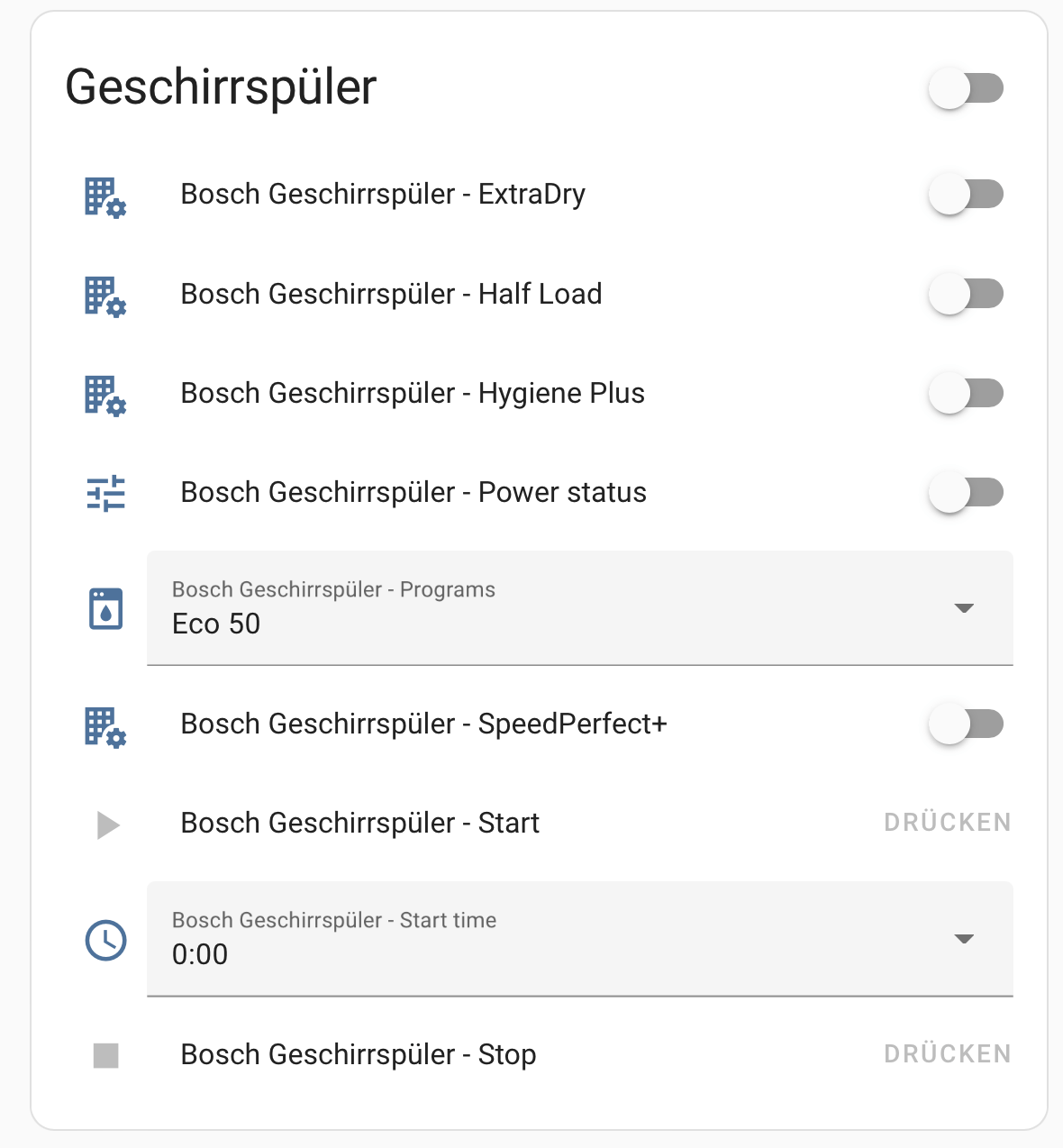
Bei der Home Connect-Version kann man die Programme auswählen:Bildschirmfoto 2024-08-29 um 16.07.59.

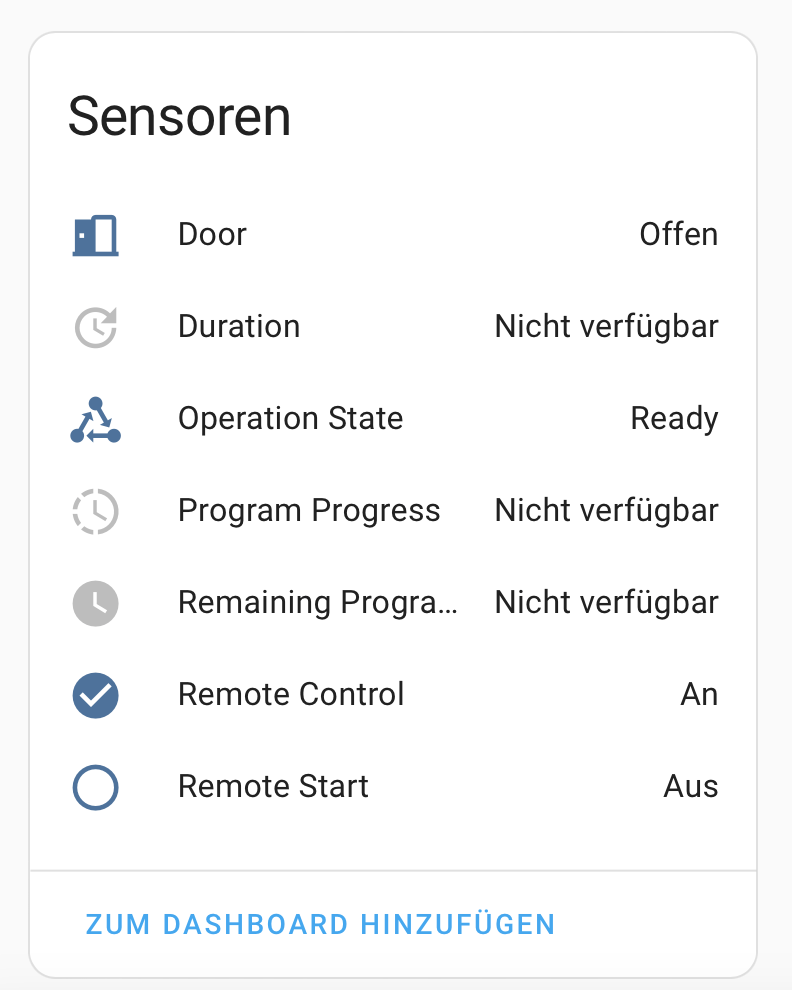
Und sie bietet einige Sensoren an:

Bildschirmfoto 2024-08-29 um 16.08.22.

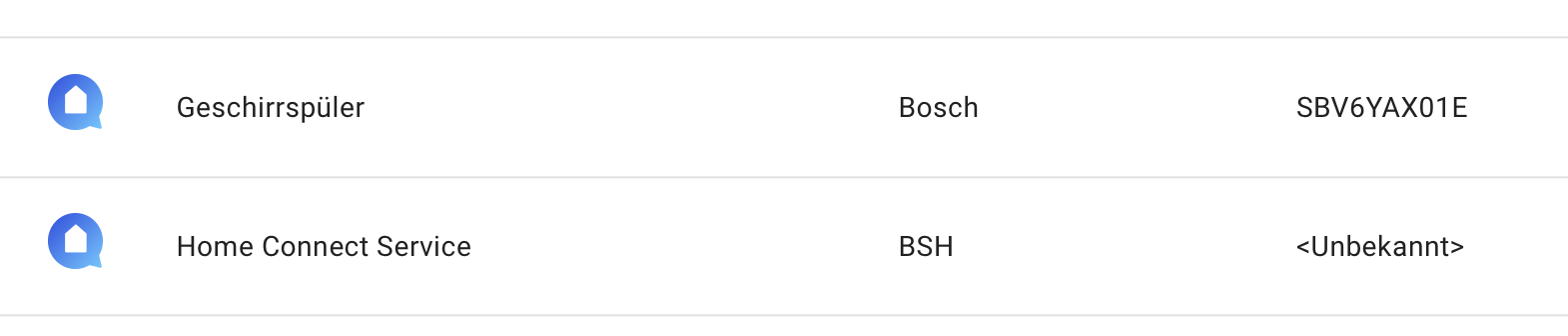
Die Alt-Version unterscheidet zwischen Gerät und Service und erzeugt zwei Entitäten:

Bildschirmfoto 2024-08-29 um 16.08.52.

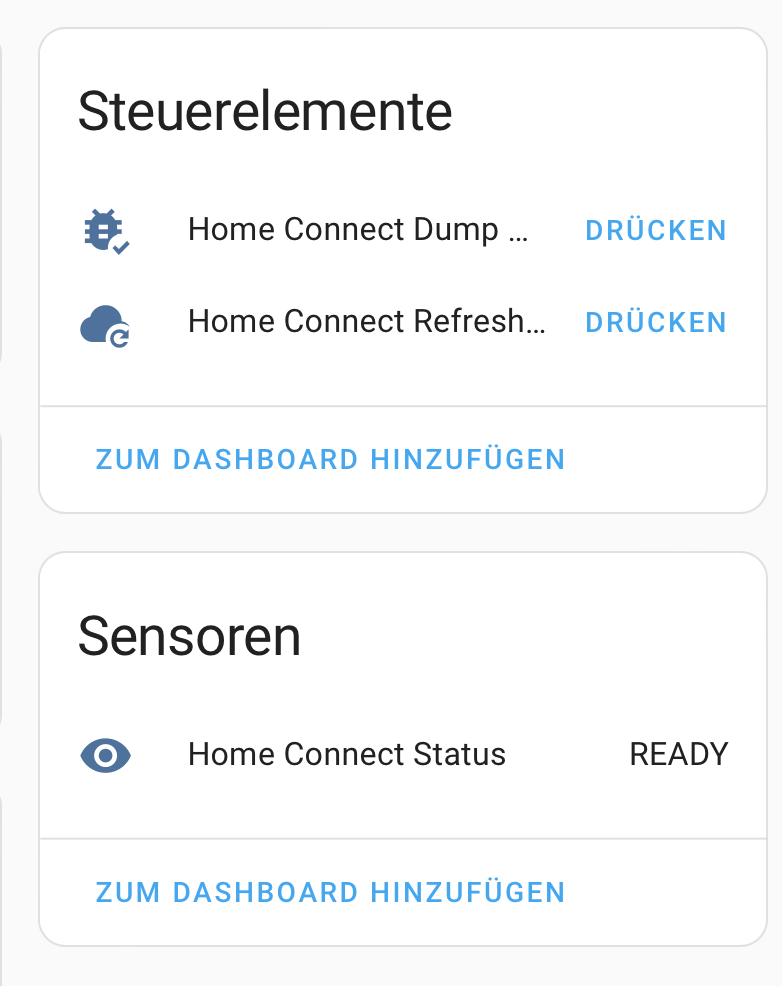
Im Service gibt es einen Debug- und einen Refresh-Button sowei einen Sensor für den Status des Services:

Bildschirmfoto 2024-08-29 um 16.10.01.

Die Auswahl der Programme ist anders organisiert:

Bildschirmfoto 2024-08-29 um 16.11.22.

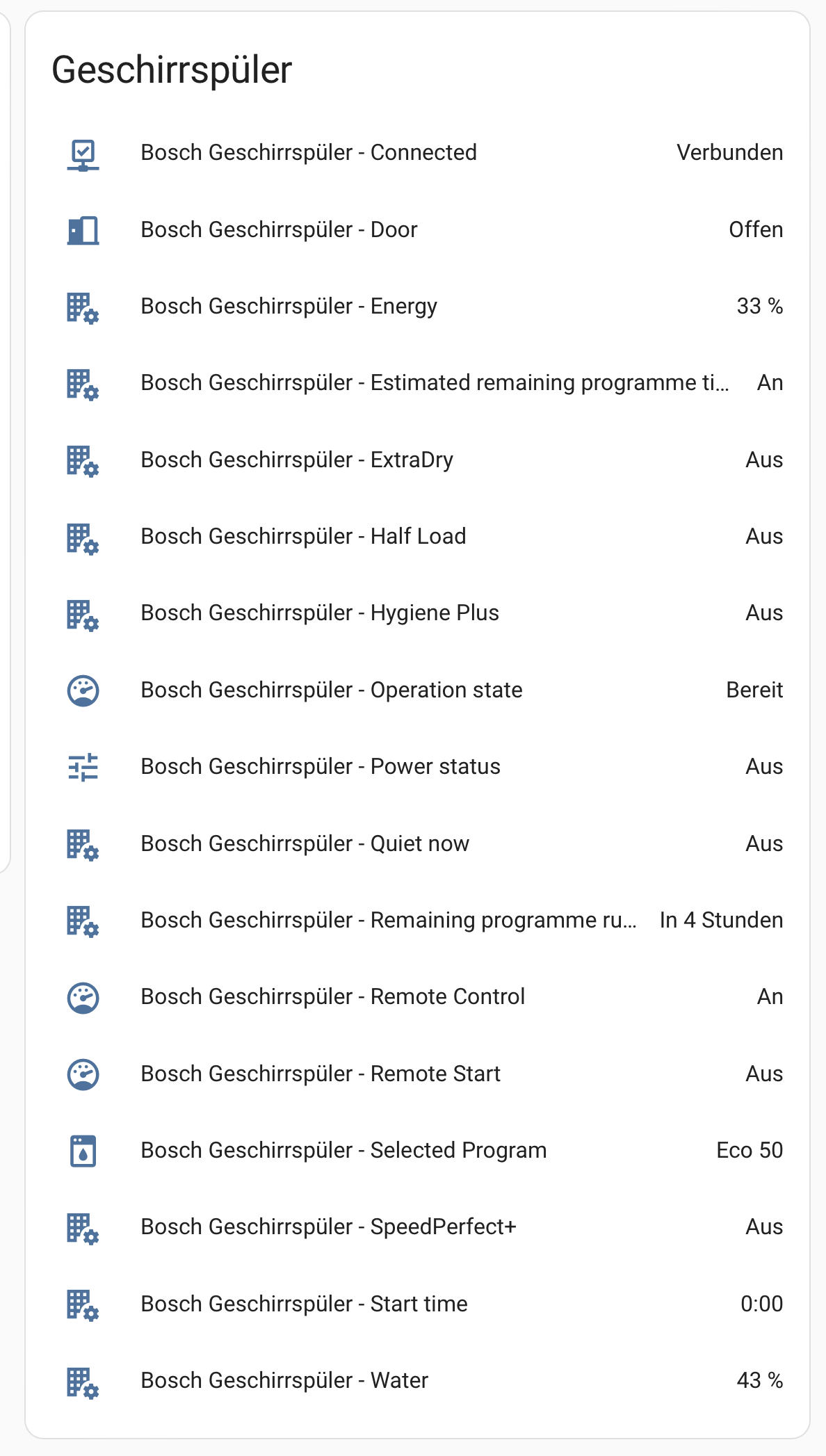
Und es gibt mehr Sensoren:

Bildschirmfoto 2024-08-29 um 16.11.47.

Spannend finde ich ja Water und Energy. Da ist mir aber noch nicht klar, was die eigentlich bedeuten.,

Ich habe erstmal nur die Alt-Version draufgelassen und werde mal die beiden Sensoren beobachten.

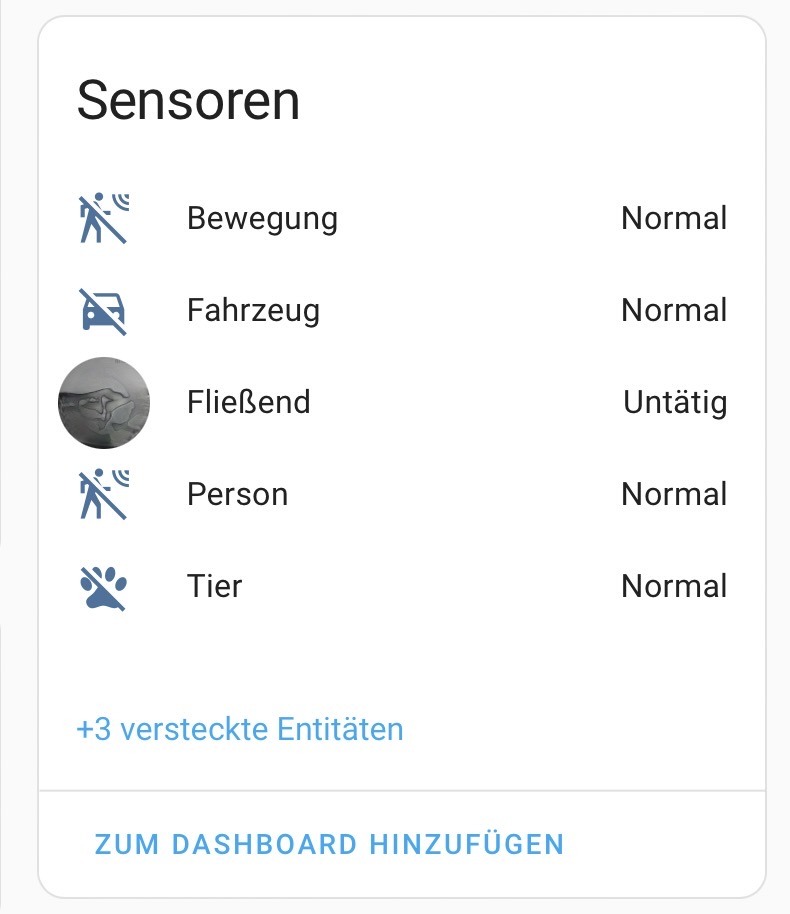
Reolink Kameras in Home Assistant

Ich wollte für meinen Home Assistant ein paar Kameras haben. Axis ist sehr teuer, … also bin ich bei Reolink gelandet. Gute Qualität, natives Home Assistant Plugin, preiswert, outdoor-tauglich, …

Aber die Einrichtung hat mich graue Haare gekostet.

Zuerst habe ich die mittels Neolink eingebunden. Die Geräte sprechen nur so ein komisches Protokoll, welches niemand kann. Alles etwas umständlich, geht aber. Das schien mir auch schlüssig zu sein, bei Reolink sind die preiswerten Kameras nur für Videoüberwachung mit einem speziellen Server gedacht.

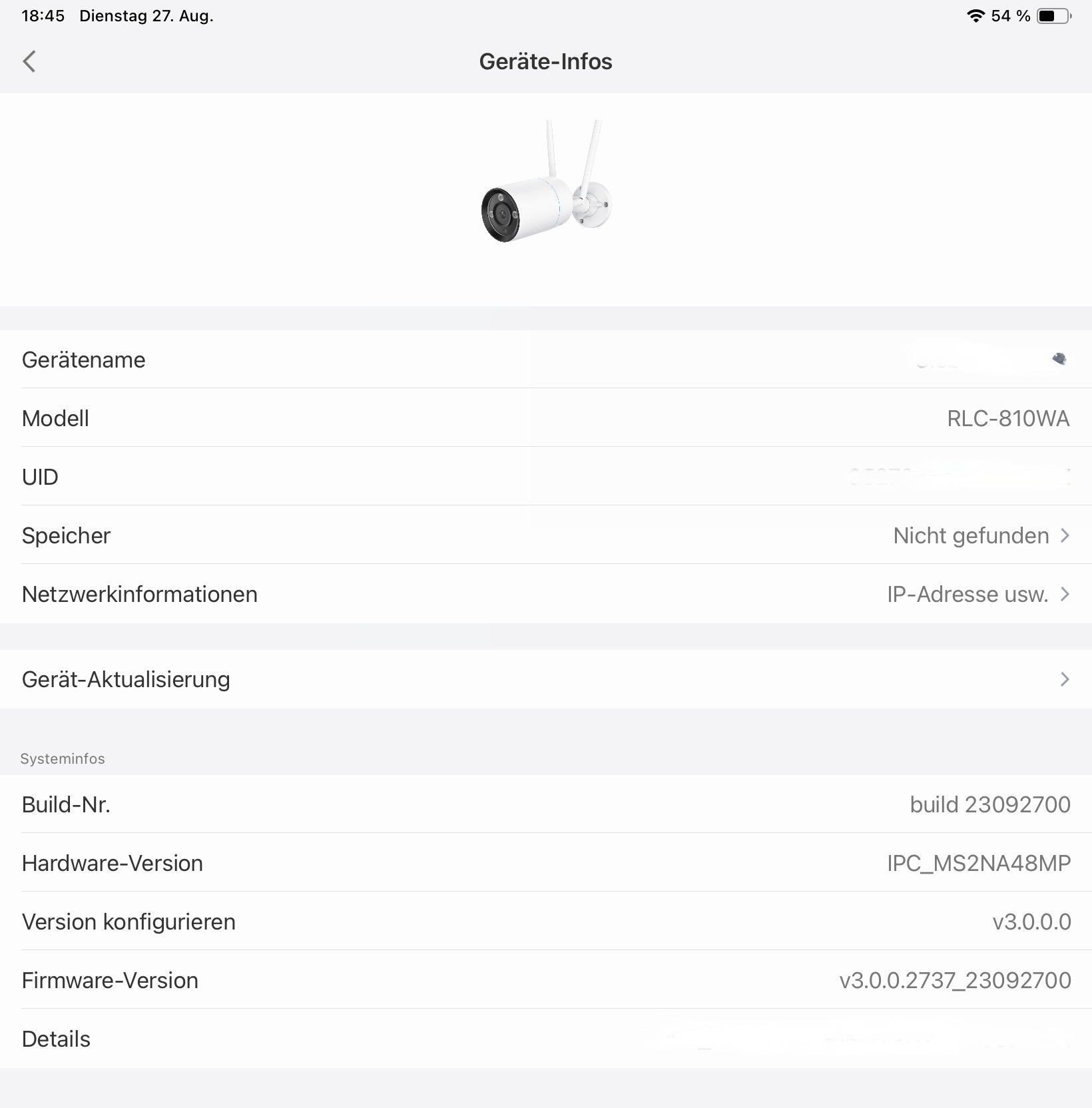
Dann habe ich entdeckt, daß man in der mobile App von Reolink, die anderen Protokolle anschalten kann. Aber auch nur, wenn man weiß wo:

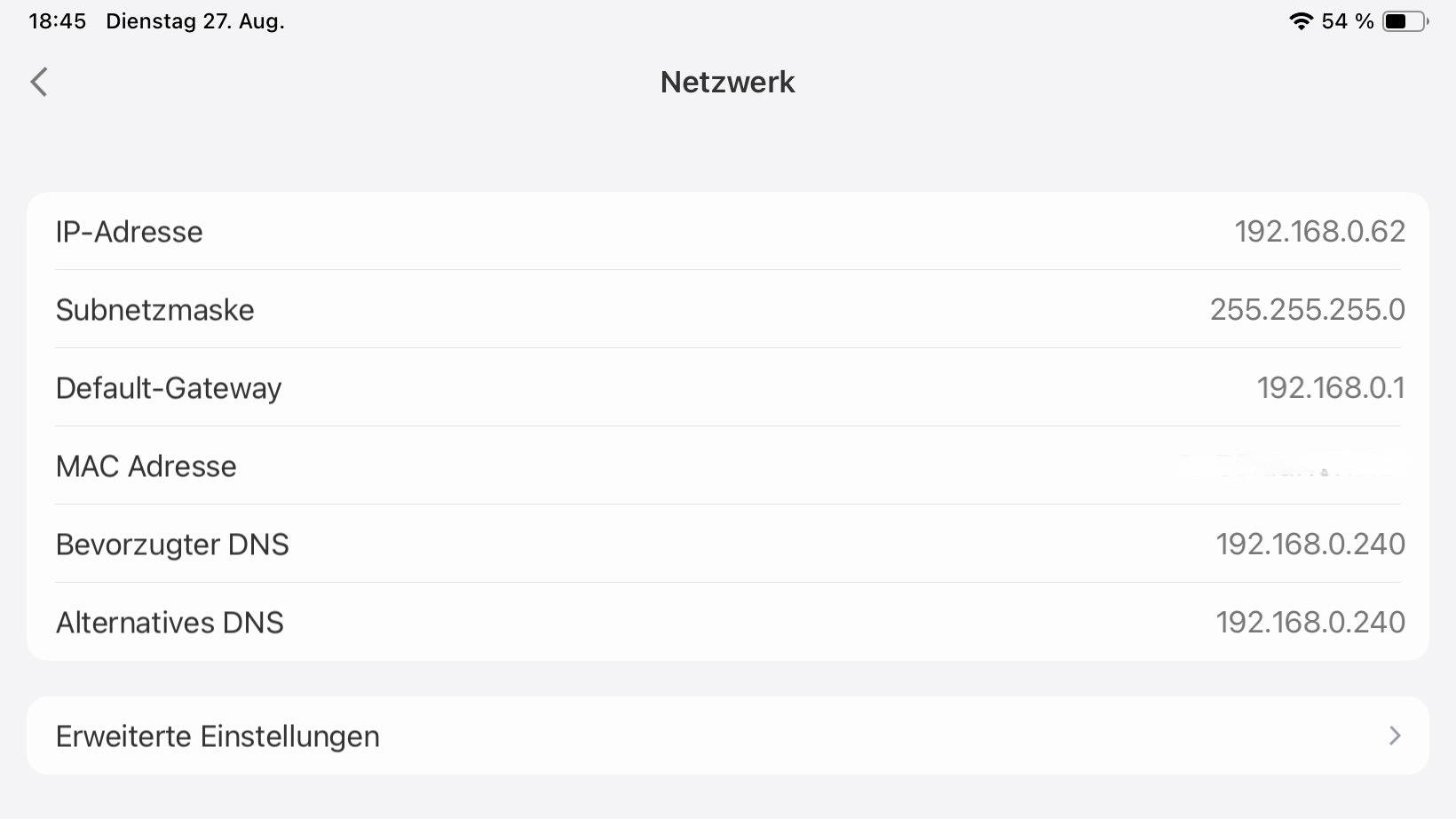
Rein in die Netzwerkinformation:

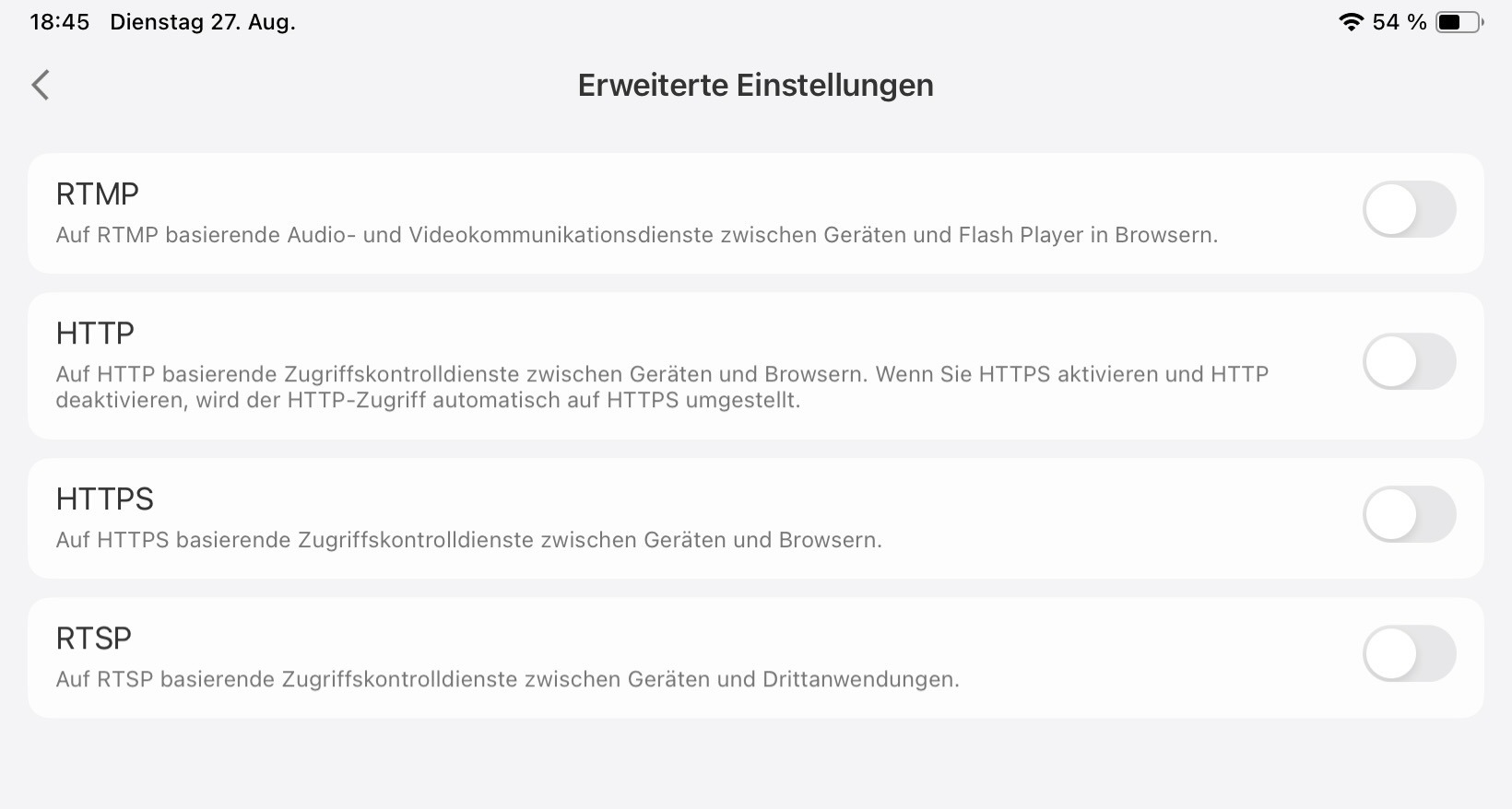
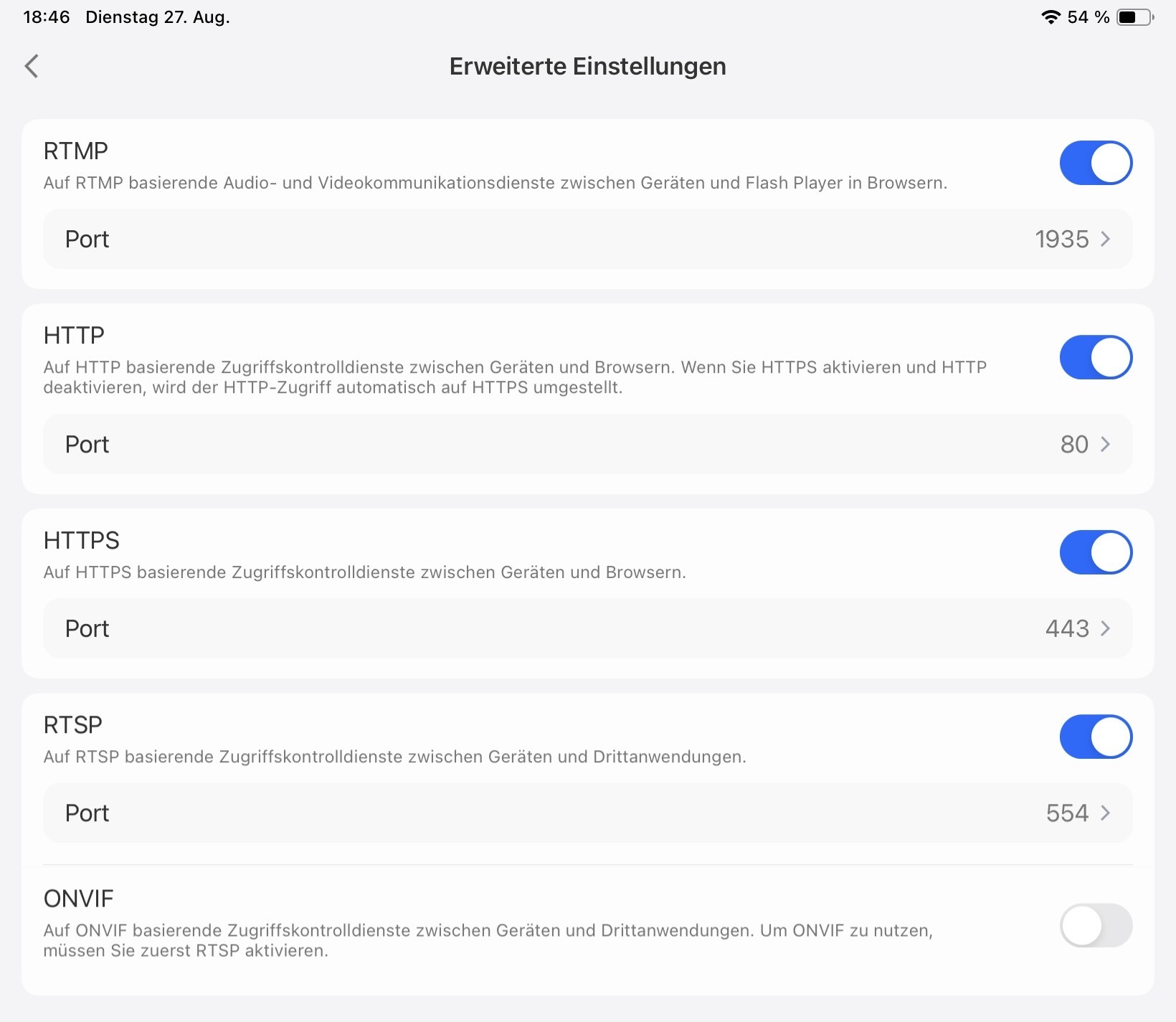
Und dann erweiterte Einstellungen; dreifach in Untermenüs verschachtelt:

Und anschalten:

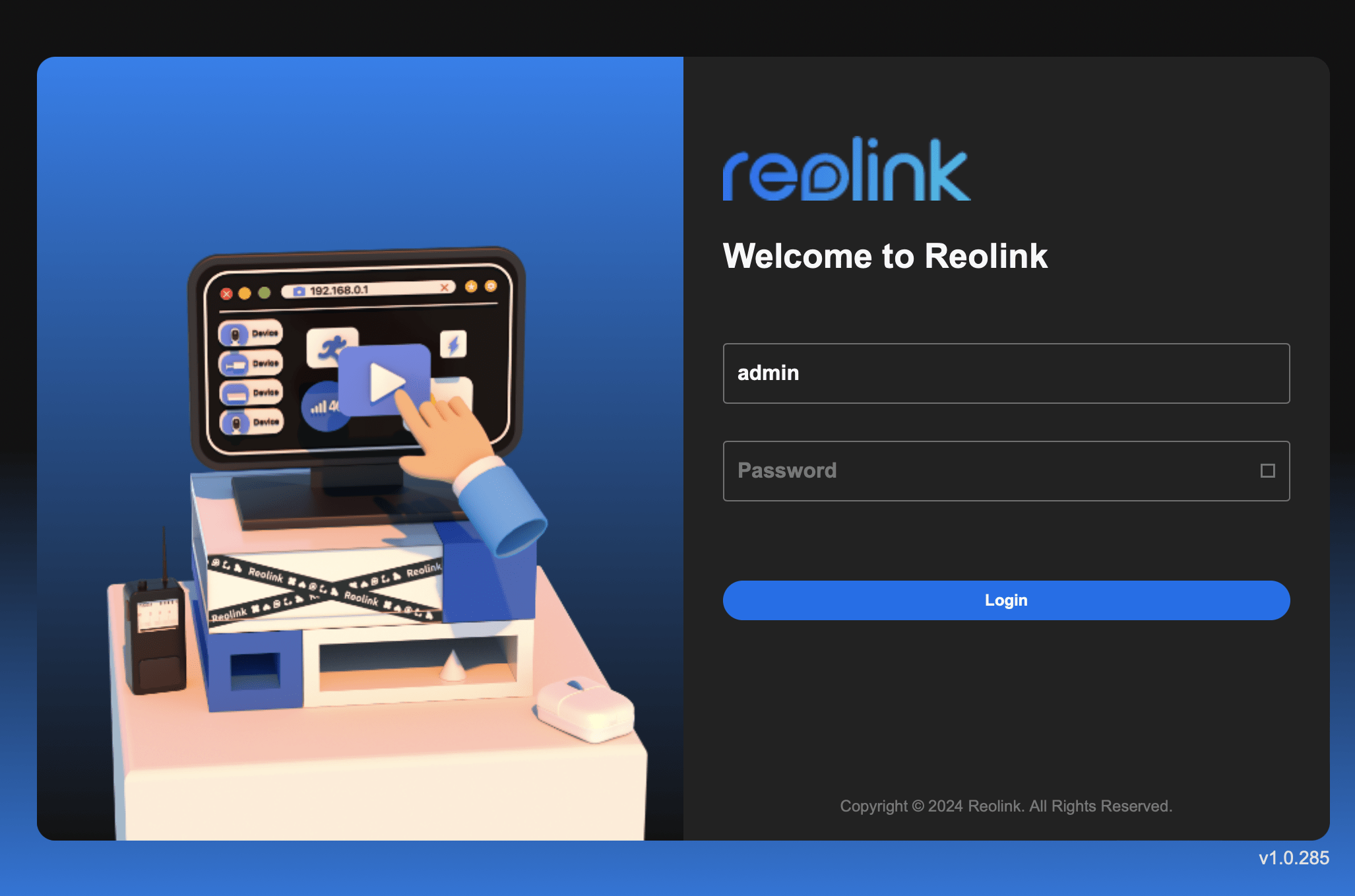
Anschließend gibt es ein Admin-Web-Interface:

Bildschirmfoto 2024-08-27 um 20.53.11.


Und man kann die Kameras in die Reolink-Integration einfügen:

Bildschirmfoto 2024-08-27 um 21.06.37.

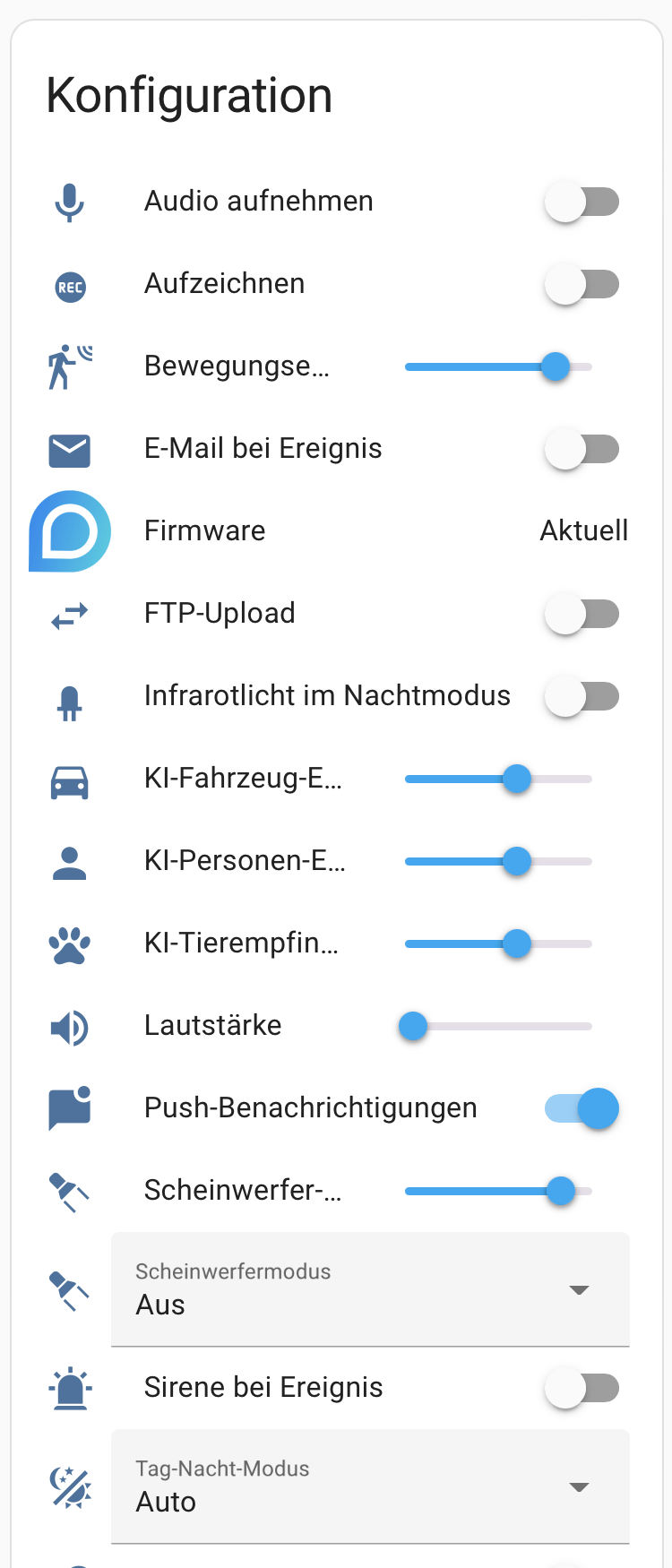
Und sie bringen viele Optionen mit:

Bildschirmfoto 2024-08-27 um 20.57.40.

Fritzbox 5690 Firmware 7.62

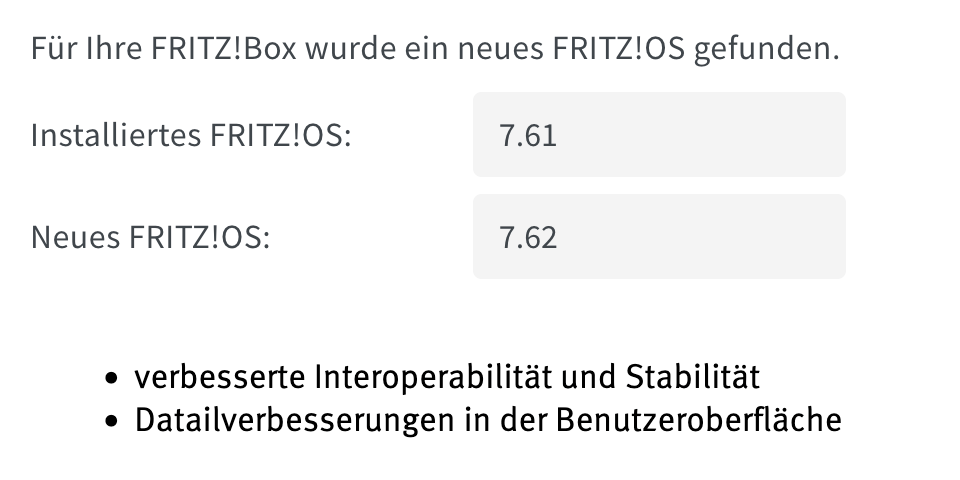
Na sowas. Ein kleines Bugfix-Update

https://download.avm.de/fritzbox/fritzbox-5690-pro/deutschland/fritz.os/info_de.txt

Bildschirmfoto 2024-08-22 um 18.37.18.

## Verbesserungen in FRITZ!OS 7.62

## Internet:

– **Verbesserung** Umgang mit VLAN-Markierungen an Glasfaseranschlüssen optimiert 

## WLAN:

– **Behoben** Anzeige für Zero-Wait-DFS-Funktion auf der Seite „WLAN > Funkkanal > 5 GHz“ war bei laufender Untersuchung der Kanäle nicht korrekt

– **Verbesserung** Integration des 6GHz-WLANs auf der Benutzeroberfläche verbessert

## System:

– **Verbesserung** Systemstabilität angehoben